
Show a public profile with services, location, gallery, opening hours, reviews, team, and a path to booking.
Marketplace, public profile, and client apps
Public profile, Marketplace, and client apps
The public profile, Marketplace, and client apps show the same services, reviews, working hours, and available times the team already manages in Reservation.Studio Business.
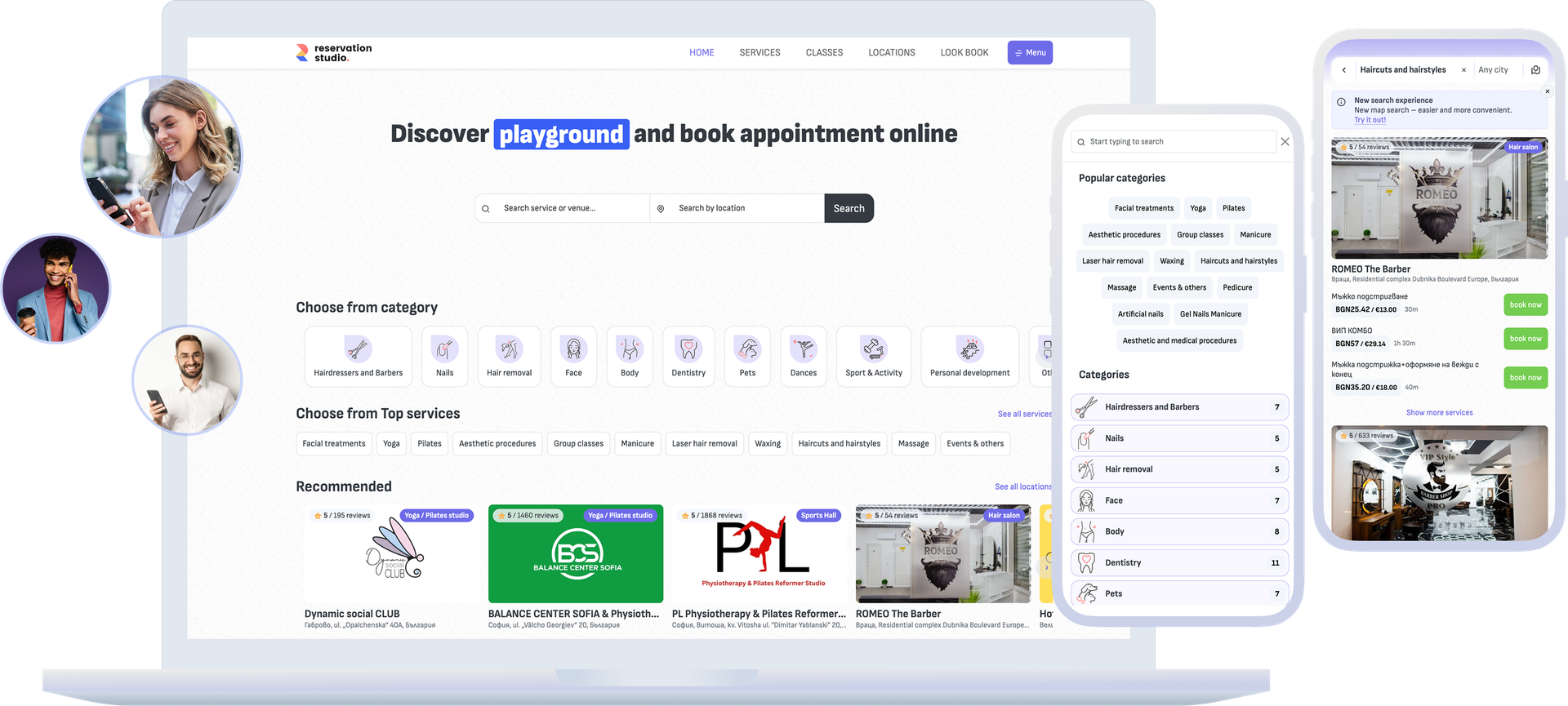
The core idea
The public profile leads to a real booking, not a separate storefront
When clients discover a business online, they want to see services, photos, reviews, address, opening hours, and possible appointment times before deciding to book. The value for the team comes when that public path uses the same settings, schedule, and rules you already manage in the system. The Reservation.Studio client app is rated 4.9 from 441 reviews on Google Play (August 2026).
Clients can find the location through categories, search, city pages, direct links, QR codes, or the client app.
Returning clients can see their appointments, saved places, memberships, forms, and notifications in the client area.
The team controls visibility, services, staff selection, slots, request windows, statuses, and client-facing messages from the system.
How it works
From public discovery to a booking that lands in the same schedule
This page covers the Reservation.Studio public path: how the business appears, how clients decide whether to book, and how the booking returns to the team without a second calendar.
- Prepare the public profile with description, address, map, photos, working hours, services, team, and online booking rules.
- Set what is visible publicly: whether the location appears in search, whether services are visible, whether clients can choose a team member, and which slots they can see.
- The client discovers the business through Marketplace, category pages, city pages, a recommendation, a direct link, QR code, or the mobile app.
- On the profile, the client sees services, gallery, reviews, address, working hours, available times, and the messages needed before confirmation.
- After booking, the appointment enters the same schedule, statuses, notifications, and pending approvals the team already uses.
- The client can return through the app or profile, see appointments, places, forms, memberships, and notifications, and book the next visit faster.
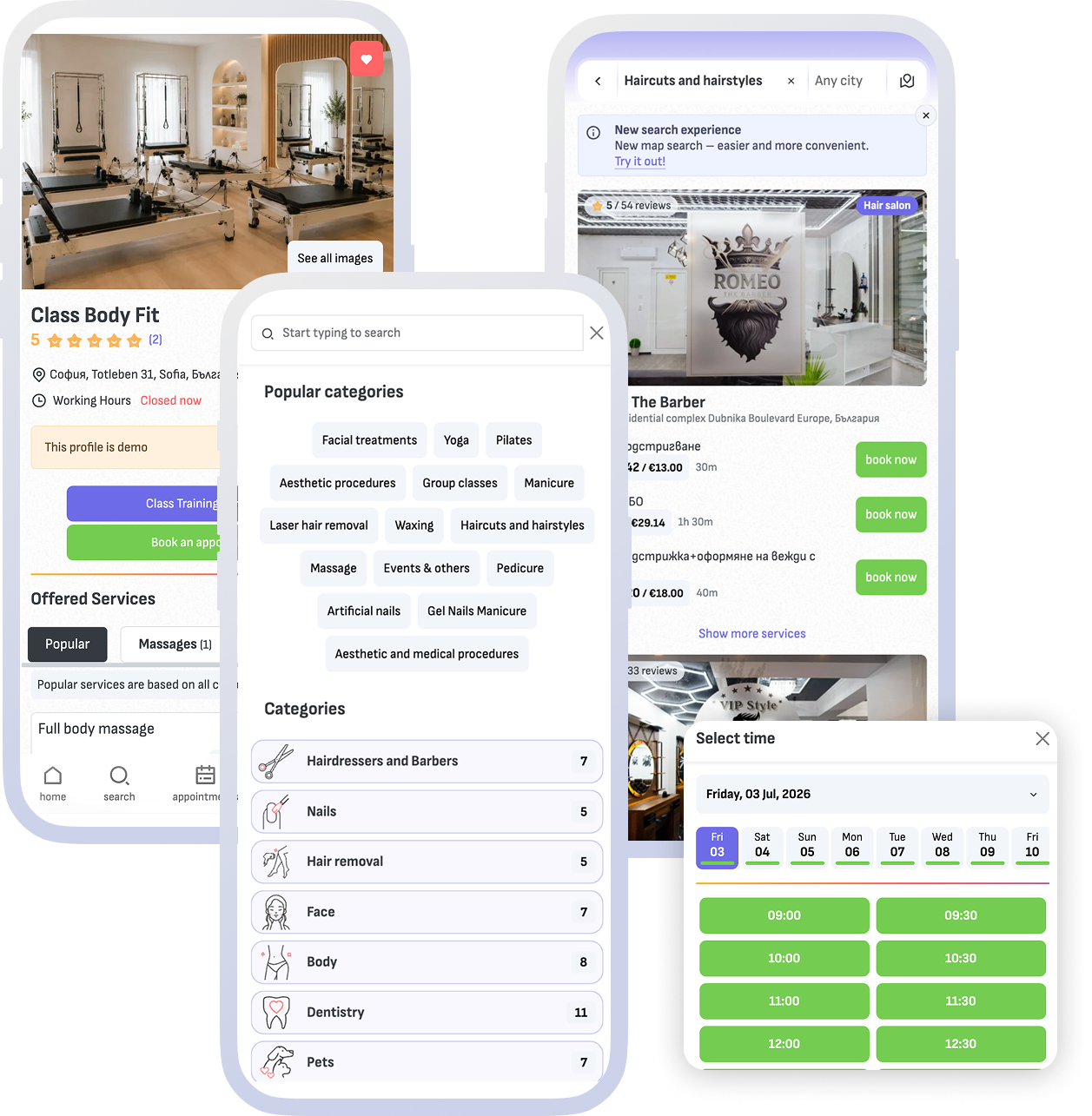
What it includes
Public presence, client access, and control on your side
The focus is not simply having a public page. The focus is helping the client decide and book without drifting away from the real operation.
Public profile and discovery
The profile can show description, address, map, photos, services, team, working hours, reviews, and a booking path. Marketplace helps clients find a suitable location by category, city, search, or recommendation.
Client app and client account
Clients can use Reservation.Studio through the mobile apps and client area to view appointments, saved places, memberships, forms, and notifications without starting every visit by phone or chat.
Visibility, rules, and messages
From the system you decide whether the location and services are public, how staff selection works, which slots are shown, when booking requests can be sent, and what message clients see before booking.
Links, QR code, and invitations
The team can share a location or business link, use a QR code, and provide an invitation code to guide regular and new clients to the right public profile.
What the business gains
A clearer public path and less manual explanation
A well-structured public profile is not only visibility. It helps clients understand the offer, make the decision faster, and book without extra back-and-forth.
A stronger first impression before booking
Photos, services, reviews, working hours, address, and available times give clients enough to decide before they press the booking button.
Less drift between the public profile and the real operation
The profile, app, and Marketplace path follow the same services, availability, visibility, and rules instead of promising something the team has to fix later.
A shorter path for returning clients
Clients who already know the business can return through the app, profile, link, or QR code and book the next visit without another conversation.
FAQ
What teams ask about Marketplace and client apps
Is this the same as the online booking, widget, and custom domain page?
No. That page focuses on booking through your own website, WordPress, widget, and custom domain. This page focuses on the Reservation.Studio public profile, Marketplace discovery, and client apps.
What can clients see on the public profile?
Depending on settings, clients can see description, address, map, photos, services, team, working hours, reviews, available times, and messages before booking.
Are the client apps separate from the settings in the system?
No. They use the same services, availability, visibility, statuses, and booking rules managed in the system.
Can the business stay out of Marketplace search?
Yes. Visibility settings are available, and with PRO the profile can be used through a custom domain without showing the location in the Reservation.Studio Marketplace.
Does this create a second calendar?
No. The public profile, client app, and Marketplace path lead to the same schedule, statuses, notifications, and booking rules instead of opening a second calendar for the team.
Do I pay anything when a client comes through Marketplace?
No. There is no new-client fee and no booking commission — the monthly price depends on locations, people, and modules, no matter which channel the booking comes through.
Whose client is the one who booked through Marketplace?
Yours. The booking, the client record, the visit history, and the consents go into your database in the system.
Next step
See online booking, marketing, or book a demo
If the focus is booking through your website, widget, or custom domain, open online booking. If the focus is bringing clients back and managing reviews, open marketing. If you want to see how the public profile and client apps stay connected to the system, book a demo.