
The Help Center and documentation give step-by-step guides for setup, access, daily work, and the more complex cases.
Rollout and daily help
Support that helps before something breaks
Help starts with the right setup and clear documentation, moves through fast first guidance, and reaches a person when the case calls for it.
Why this matters
Good support starts before the first problem
When software touches scheduling, front desk work, clients, payments, online booking, and reporting, the team needs to know how to start correctly and where to ask without routing every question through one internal expert.
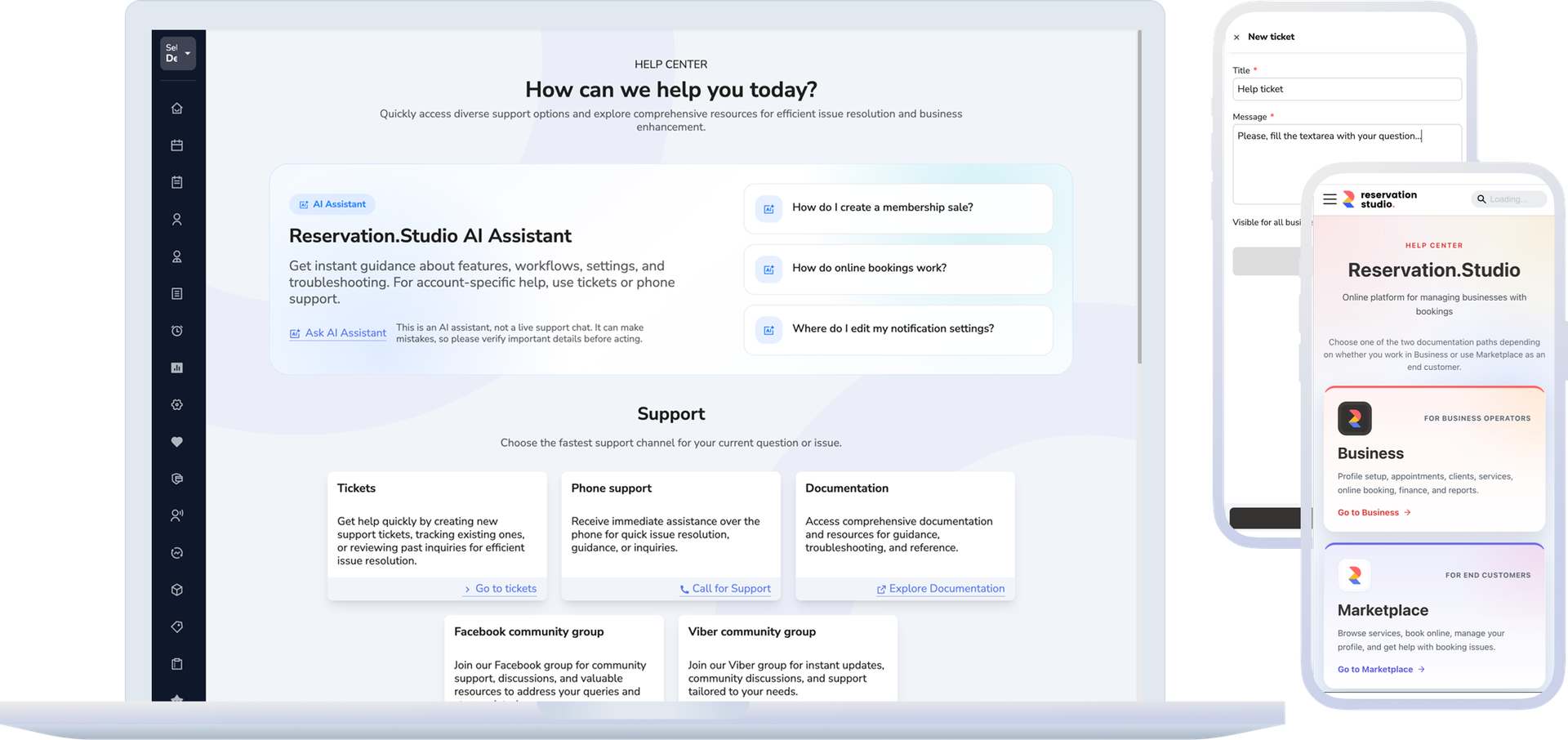
The AI assistant is a useful first step when someone needs orientation around a feature, a setting, or a sequence of steps.
Tickets and human channels are for specific cases that need status, history, files, and follow-up.
How it works
Set up the launch first, then use the right help path for each situation
The strongest support model does not push every question into one generic conversation. It starts with the right foundation, gives teams self-serve resources, and keeps a clear escalation path when a person needs to follow the case.
- At launch, the foundations are organized: roles, access, services, schedule, locations, online booking, payments, and the team's operating rules.
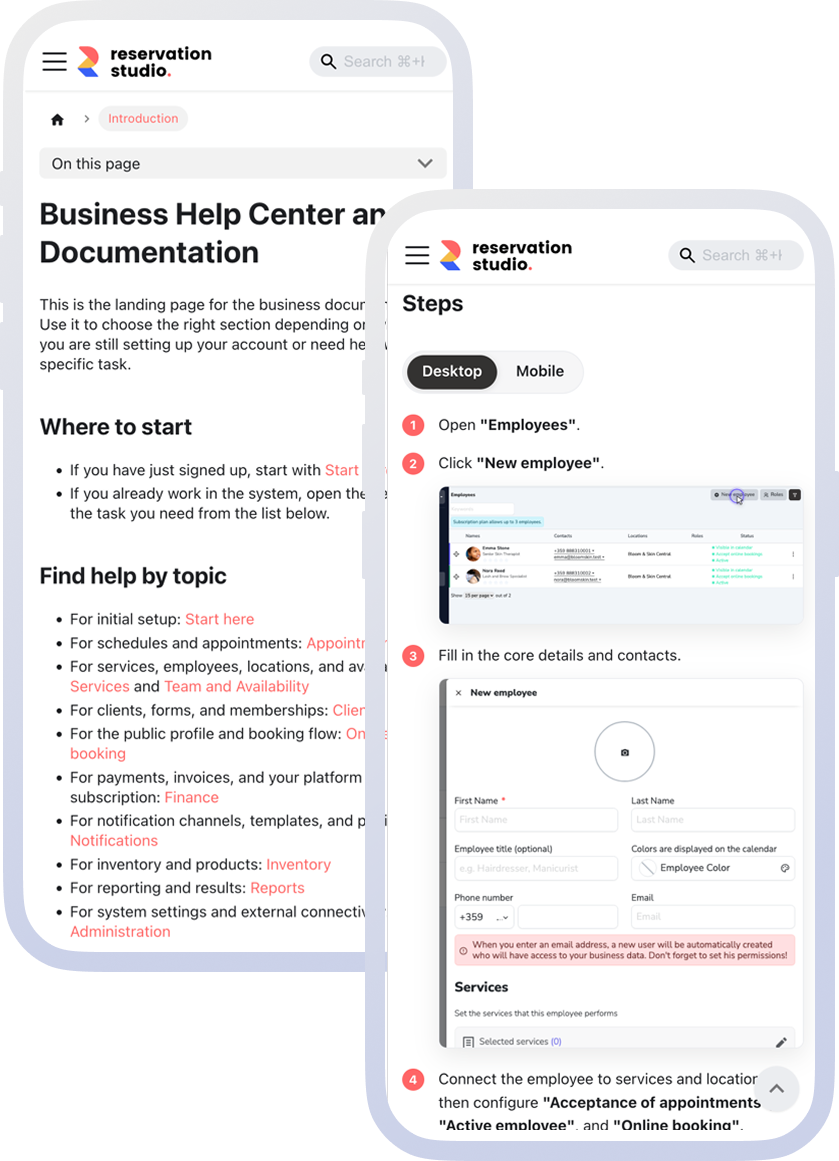
- When the question is standard or procedural, the Help Center provides steps, examples, and links to current resources.
- When someone is not sure where to start, the AI assistant gives fast first guidance on features, settings, and the steps to take.
- When the issue is a specific problem, account, file, error, or longer case, a ticket keeps the conversation history and status together.
- Depending on the device and the situation, the support area also shows additional resources such as phone, documentation, community channels, Viber, or Downloads.
What this includes
Each help channel should have a clear role
The goal is not to create more places to ask questions. The goal is for each person to know which path fits the question in front of them.
Help Center and documentation
The starting point for instructions, first steps, setup, access, daily work, and deeper module guides.
AI assistant for first guidance
Useful when someone needs quick orientation around a feature, a setting, a sequence of steps, or a common point of confusion.
Tickets for tracked cases
The right path when there is a specific problem, a need for status, attachments, conversation history, or human follow-up.
Access, Downloads, and human channels
When the question involves installation, device setup, phone support, or community channels, those resources appear where they are available and relevant.
What improves
An organized go-live and less confusion when questions come up
The team spends less time guessing where to ask. Owners do not become the team's only source of help, and more serious cases do not disappear into chats without history.
Clearer onboarding for new roles
Reception, managers, admins, and owners can start from different resources without every question passing through one person.
Faster first guidance for daily questions
Documentation and the AI assistant help when the question is about a feature, a setting, or a specific sequence of steps.
Cleaner escalation to a person
When the case is specific, a ticket keeps status, history, files, and next steps in one place.
Less dependence on internal memory
New people have somewhere to check, and repeated questions do not have to restart from zero.
FAQ
What teams usually ask about support
Is support only for technical problems?
No. It also covers product orientation, documentation, AI first guidance, tickets for tracked cases, access help, and the available human support channels.
When should we use the Help Center and when should we open a ticket?
Use the Help Center for instructions, first steps, and self-serve checks. Use a ticket when there is a specific case that needs status, files, history, and human follow-up.
Does the AI assistant replace a support person?
No. It is for fast first guidance. When the topic is specific, account-related, or needs tracking, a ticket or another human channel is the better path.
Can this help when onboarding a new team?
Yes. This page is aimed at that exact situation: giving the team a clear starting point, access to documentation, and the right help path after real work begins.
Are all support channels visible for every user?
Not always. Some cards, channels, and download options depend on the device and on whether you are in the browser, Desktop, or the mobile app.
Next step
Open the Help Center, see the AI assistant, or book a demo
If you need a specific instruction, start in the Help Center. If you need fast first guidance, see the AI assistant. If you want to discuss rollout, team onboarding, and support for your business, book a demo.