
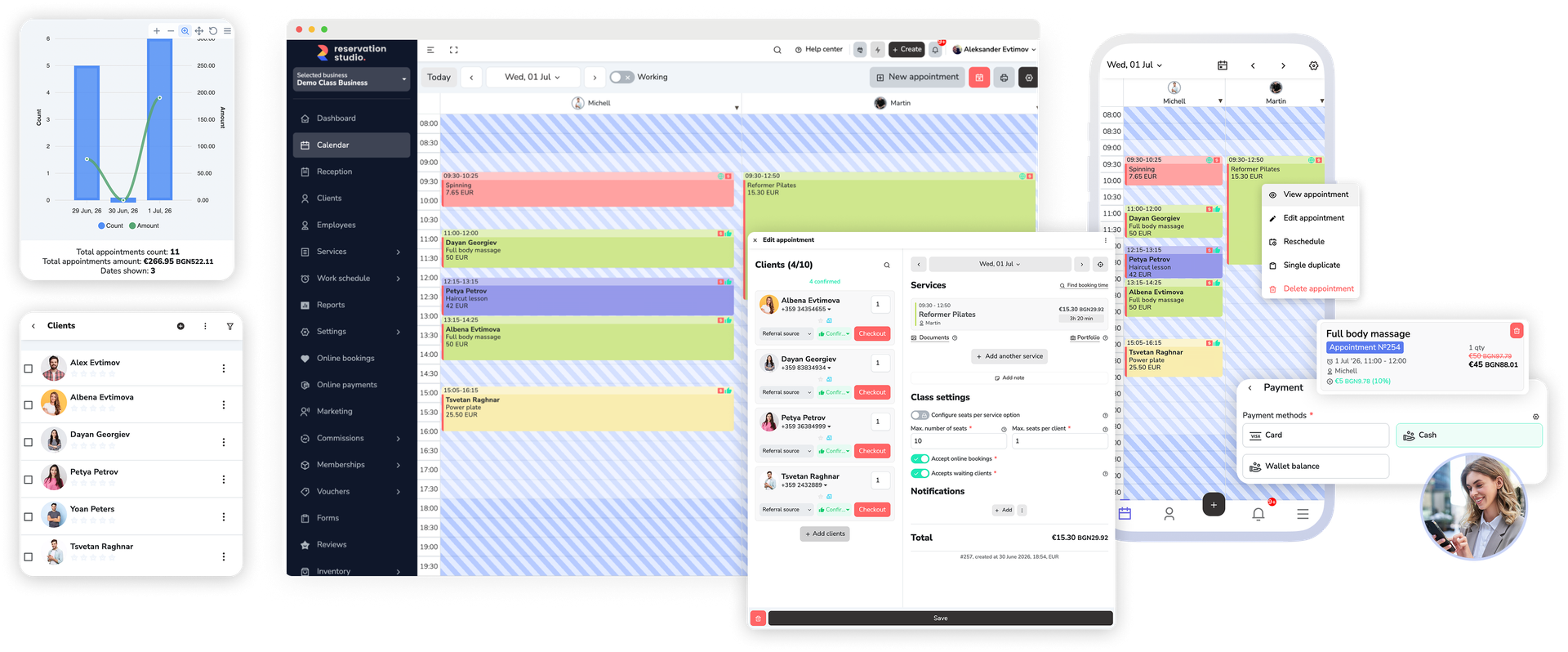
"Calendar" is where planning happens: new appointments, rescheduling, blocked time, and a day, week, month, or list view by staff and location.
Appointments and front desk
Calendar and front desk for a day that keeps changing
"Calendar", "Pending approvals", and "Reception" work on the same booking record, so appointments, arrivals, changes, and payments do not get lost between screens.
Why this matters
The booking is only the start of the front desk work
The day rarely breaks when the appointment is first created. It breaks when reception has to move a client, wait for approval, mark an arrival, close a sale, and remember everything between screens.
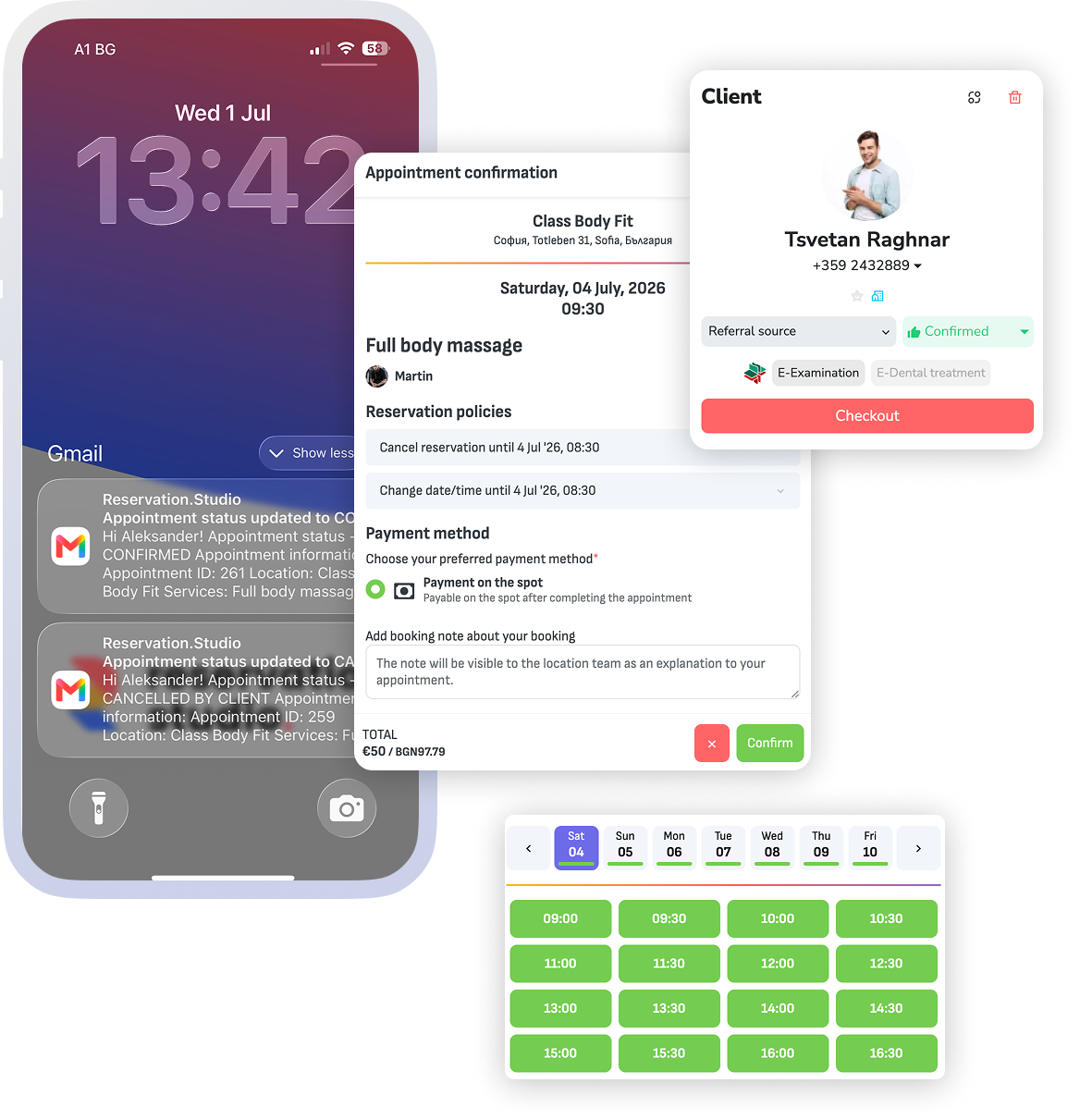
Online requests and new clients land in "Pending approvals", where you confirm or decline them before they enter the live schedule.
"Reception" gathers the day's check-ins, appointments, sales, and payment installments, while statuses track arrivals, no-shows, and walk-ins.
How front desk work should run
From calendar to reception without losing track of the booking
The booking stays usable after it is created: the same record shows up in the calendar, in pending approvals, and inside "Reception" when the client arrives, the time changes, or an amount still needs to be collected.
- Direct bookings, online requests, and recurring appointments land in one calendar, organized by staff, location, and resource.
- "Booking Assistant" suggests a time based on the services, staff, resources, and working hours, instead of scanning the calendar by hand.
- On arrival you mark a check-in and status, and the sale and outstanding installments sit in the same "Reception" screen.
- Rescheduling, duplicating, sending an SMS, and the change history are actions on the booking itself, not separate queues.
What this includes
The screens the team works in every day
These are the actual working screens in the system, under the same names the team will see every day.
Calendar
Day, week, month, and list views — for the whole team or by staff and resources: new appointments, rescheduling, duplicating, blocked time, recurring appointments, and finding an available slot.
Reception
The day's check-ins, appointments, sales, and payment installments in one screen, with a location filter and QR scanning for fast lookup.
Pending approvals
Online booking requests wait for review: you confirm or decline appointments and new clients before they enter the schedule.
Seats and waiting clients
Group sessions have capacity and seats, a client can take more than one seat, and waiting clients fill the ones that free up.
What the business gains
What improves when front desk work stays in one system
The gain is most visible when the schedule is full: the team reacts faster, fewer details get lost between screens, and the live queue becomes easier to control.
Faster reception response
The team reacts to bookings, arrivals, approvals, and payment follow-up without piecing the details together each time.
Fewer broken handoffs
Statuses, approvals, recurring appointments, seats, and installments stay on the booking itself, not in side notes.
Clearer control over the live day
Managers and operators can see what is active, what is waiting for review, and what needs action next.
Front desk FAQ
What teams ask most often about the front desk
Is this only relevant for businesses with a dedicated receptionist?
No. "Calendar" and "Reception" are two views of the same bookings. A small team can work from the calendar alone, and "Reception" starts to help once check-ins, sales, and installments move through more people.
Can it handle online requests and last-minute changes?
Yes. Online requests land in "Pending approvals", where you confirm or decline them, and last-minute changes are made directly on the booking in the calendar.
Does it support recurring and group bookings?
Yes. Recurring appointments are created from a rule and the system generates the future visits, while group sessions have capacity, seats, and waiting clients who fill freed-up seats.
Does the booking carry through to arrival and payment?
Yes. On arrival you mark a check-in, and the day's sales and payment installments sit in "Reception", next to the bookings themselves, until the amount is collected.
Next step
See availability, payments, or book a front desk demo
If the problem starts with the wrong slots, staff, or resources, open availability. If it breaks around deposits, sales, and closing the visit, open payments. If you want to see how the live day runs from calendar to reception, book a demo.