
Medical software with NHIS
E-examination, e-prescription and e-referral straight from the schedule
Reservation.Studio Business brings the schedule, the NHIS examination and the patient's payment into one system. The examination opens from the booked appointment, and the prescription, referral and ambulatory sheet come out of it. It runs on Windows, macOS and Linux.

- system for schedule, examination and payment
- 1
- no separate program for NHIS
- kinds of e-referral from the examination
- 4
- diagnostics, consultation, high-tech activity, hospitalization
- Windows, macOS and Linux
- Any OS
- the desktop app signs with an e-signature on all three
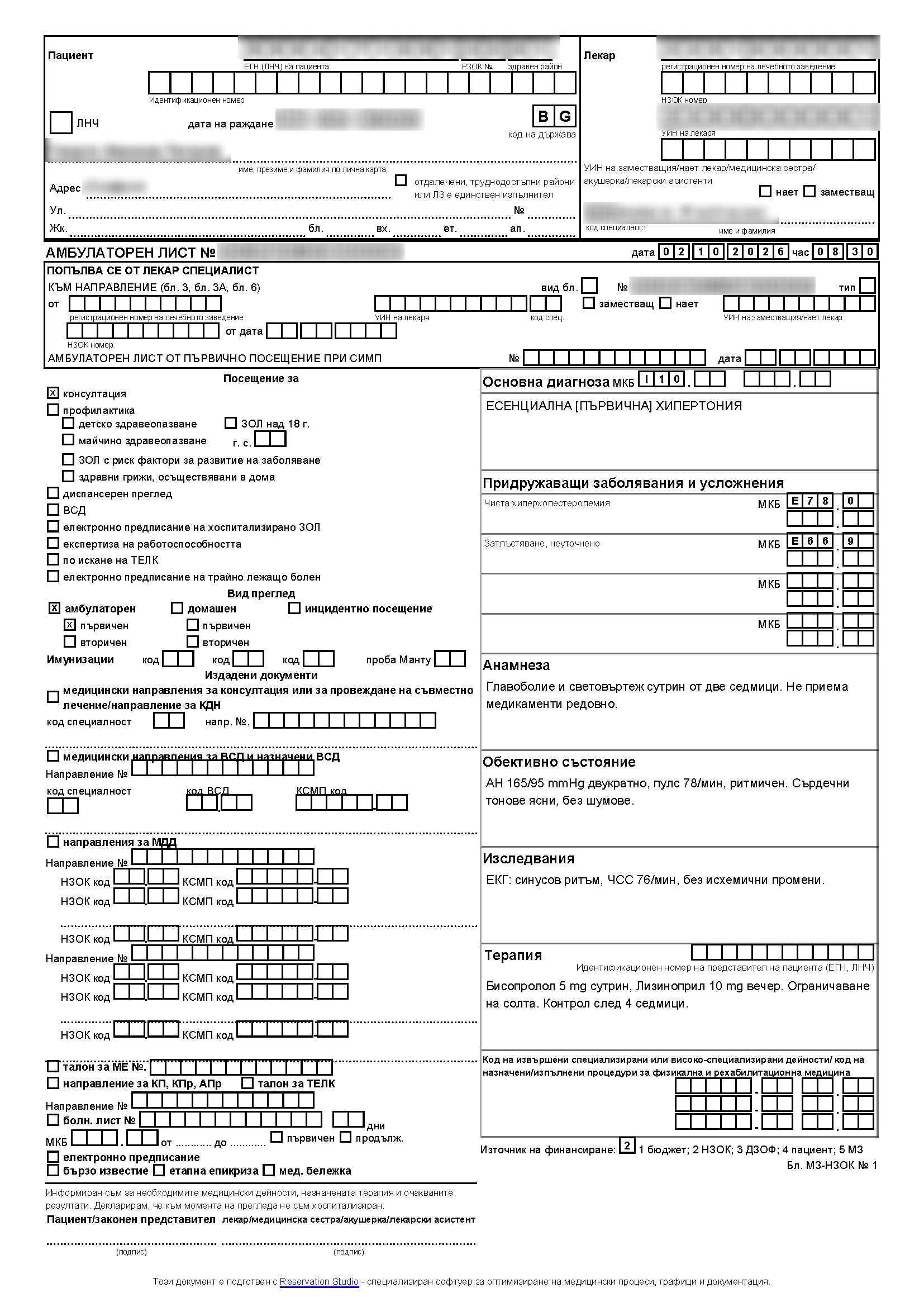
- the ambulatory sheet form
- MZ-NZOK No 1
- per the 2026–2028 national framework contract
Two programs or one
The schedule and the NHIS examination in one program
When the schedule lives in one program and NHIS in another, the patient is entered twice. Here the e-examination continues the booked appointment.
| With a separate NHIS program | With Reservation.Studio Business |
|---|---|
| The appointment is in one calendar, the examination in another program | The examination opens from the patient's row in the appointment |
| Patient and doctor are picked again for every examination | Patient, doctor and location come from the booked appointment |
| Booking, reminders and the examination sit in different systems | Online booking, reminders and the examination are one system |
| Payment and the fiscal receipt happen somewhere else | Payment and the fiscal receipt are in the same system |
One examination, every document
E-referral, e-prescription and ambulatory sheet from one examination
The examination starts from the booked appointment. The referrals, prescription and sheet are issued from it and stay linked to it in NHIS.
-
-
Appointment
Booked online, by phone or at the front desk
-
-
-
NHIS e-examination
Opened and closed with the doctor's e-signature
-
-
-
E-referral
Diagnostics, consultation, high-tech activity, hospitalization
-
E-prescription
White prescription, single or multiple dispensation
-
Ambulatory sheet
PDF and print on form MZ-NZOK No 1
-
How an examination runs
How to do an NHIS e-examination from the schedule
-
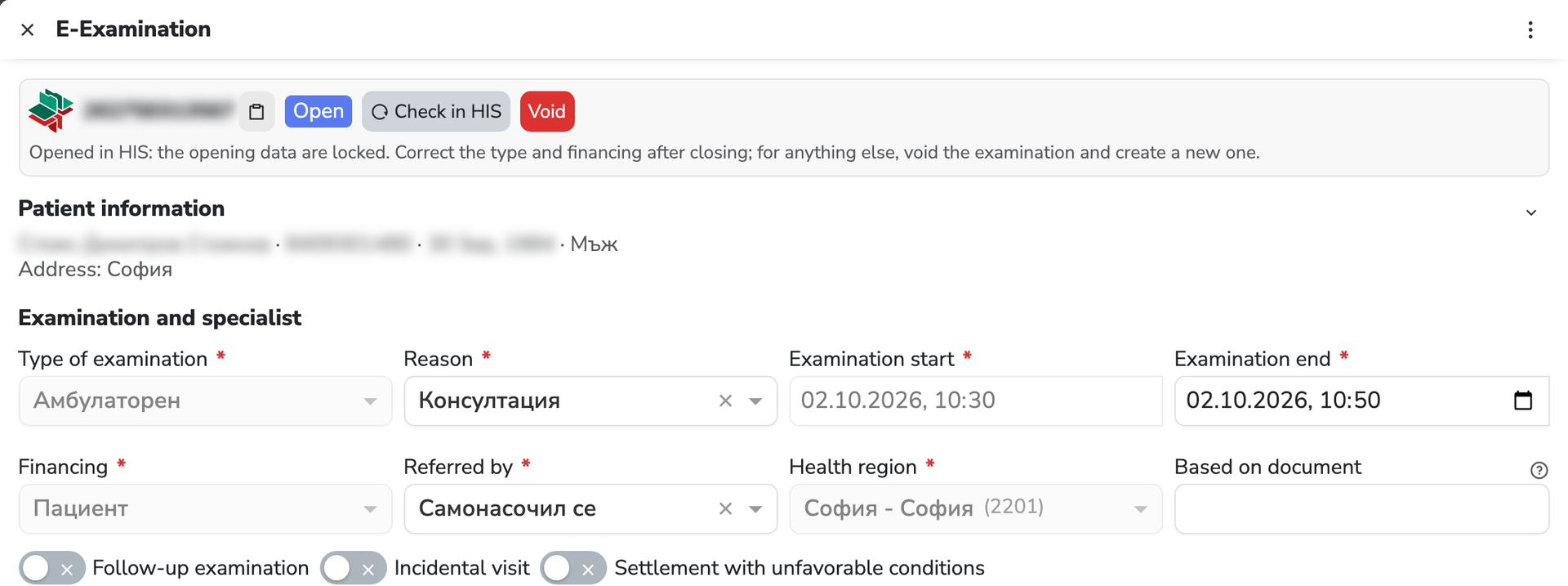
The examination starts from the appointment
“E-Examination” opens from the patient's row in the booking. The doctor and the location come from the appointment; the UIN, specialty and facility number come from the settings.
-
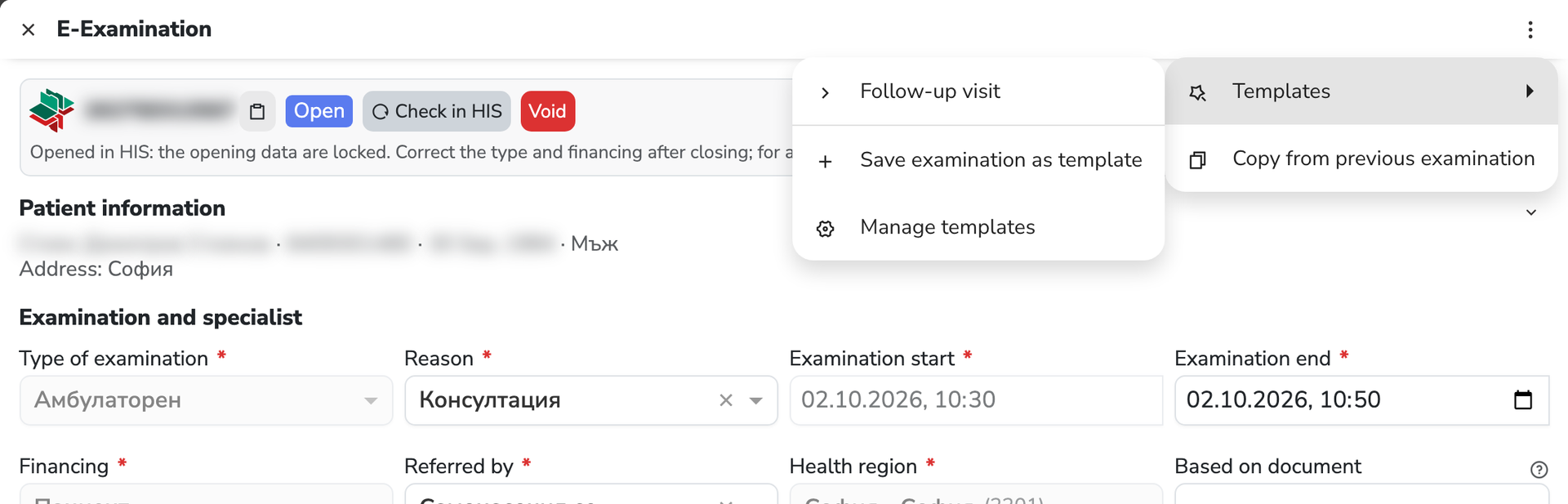
A template fills in the notes
A template or “Copy from previous examination” fills in the examination, and every note offers the values the same doctor used last.
-
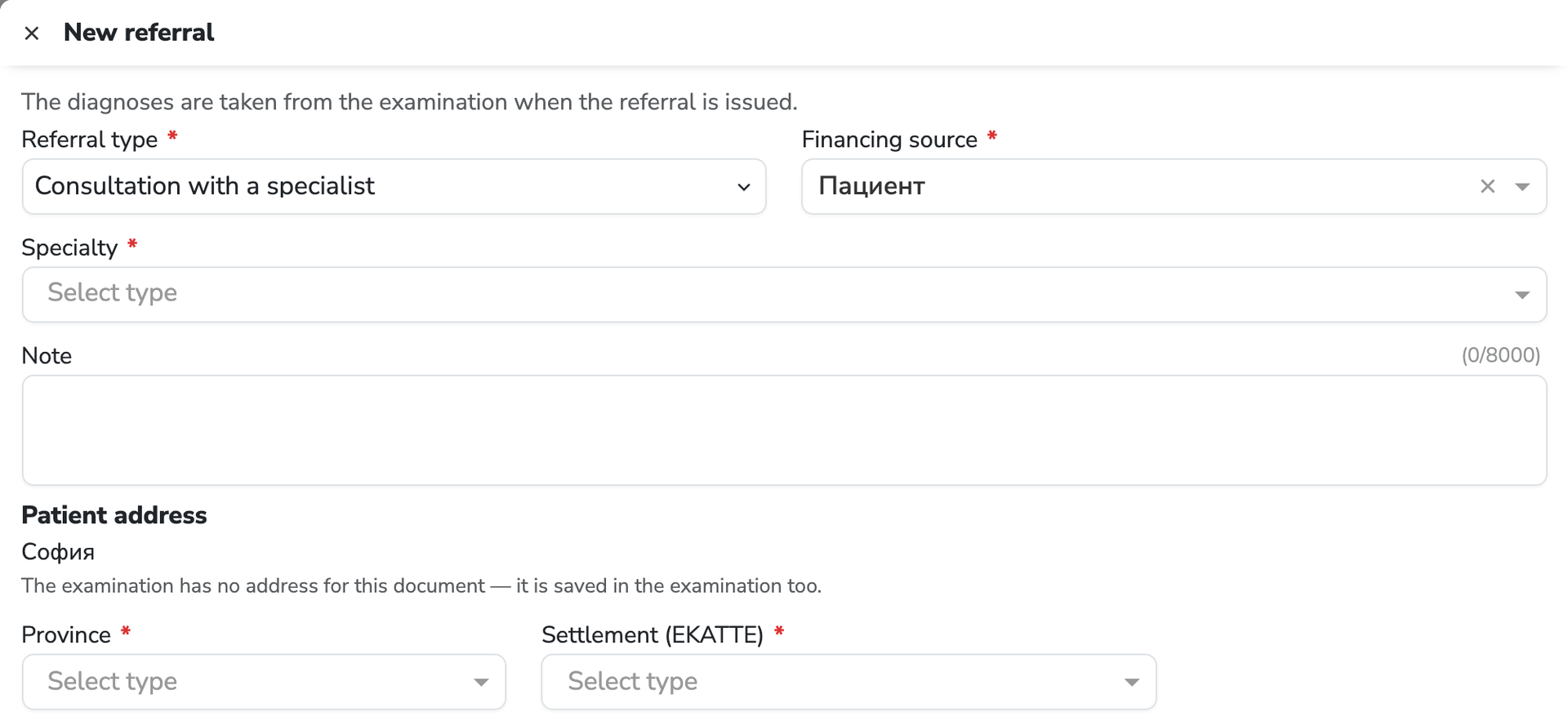
The e-referral is issued from the examination
Referral type, specialty or activity, and “Issue in HIS”. The diagnoses are taken from the examination, and the NHIF referral type shows only when it is required.
-
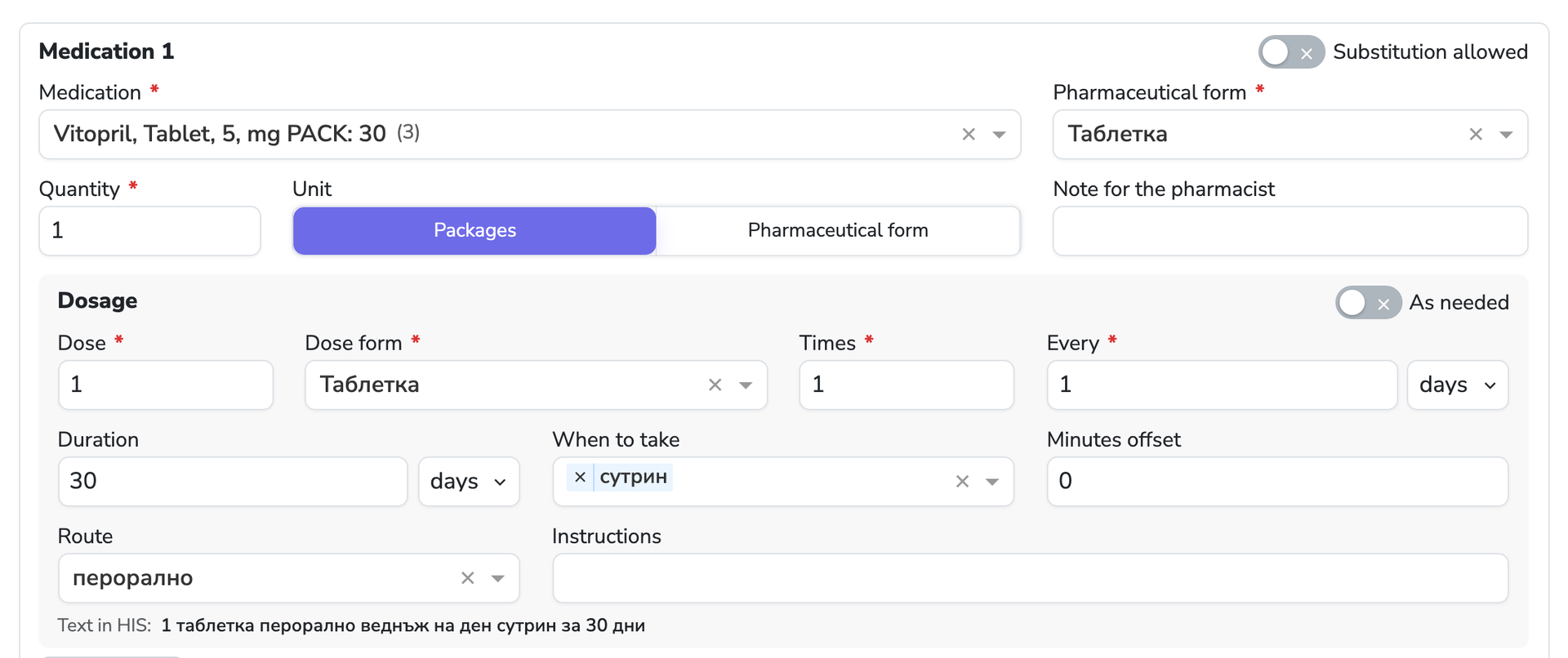
The e-prescription is issued from the examination
The white e-prescription is issued from the open or closed examination, and the text for NHIS sits below the dosage. A draft stays until you issue it.
-
The sheet prints on the official form
The ambulatory sheet follows form MZ-NZOK No 1, accompanying diseases included. Long text continues on the next page, and the sheet prints straight from the app.
Who it is for
Software for medical specialists and medical centres
A good fit if
- You work as a specialist in a private practice or a medical centre
- Doctors issue e-prescriptions and e-referrals after the examination
- You see patients who come with an NHIF referral
- You want the schedule, examinations and payments in one system
- You work with a substitute or contracted doctor
- The practice has several rooms or locations
Dosage
The e-prescription turns the dosage into text for NHIS
The doctor fills in the fields and sees, right below them, the text the prescription will carry. It is computed by the NHIS formula, not typed by hand, and NHIS keeps it in Bulgarian.
The example is from the prescription screen. The text is computed on the server by the formula of the NHIS interpreter and updates while the doctor types.
- Dose
- 1
- Dose form
- Tablet
- Times
- 1
- Every
- 1 day
- When to take
- morning
- Route
- oral
- Duration
- 30 days
Text in HIS
1 таблетка перорално веднъж на ден сутрин за 30 дни
The “HIS” menu
List of examinations, templates, search in NHIS and substitution
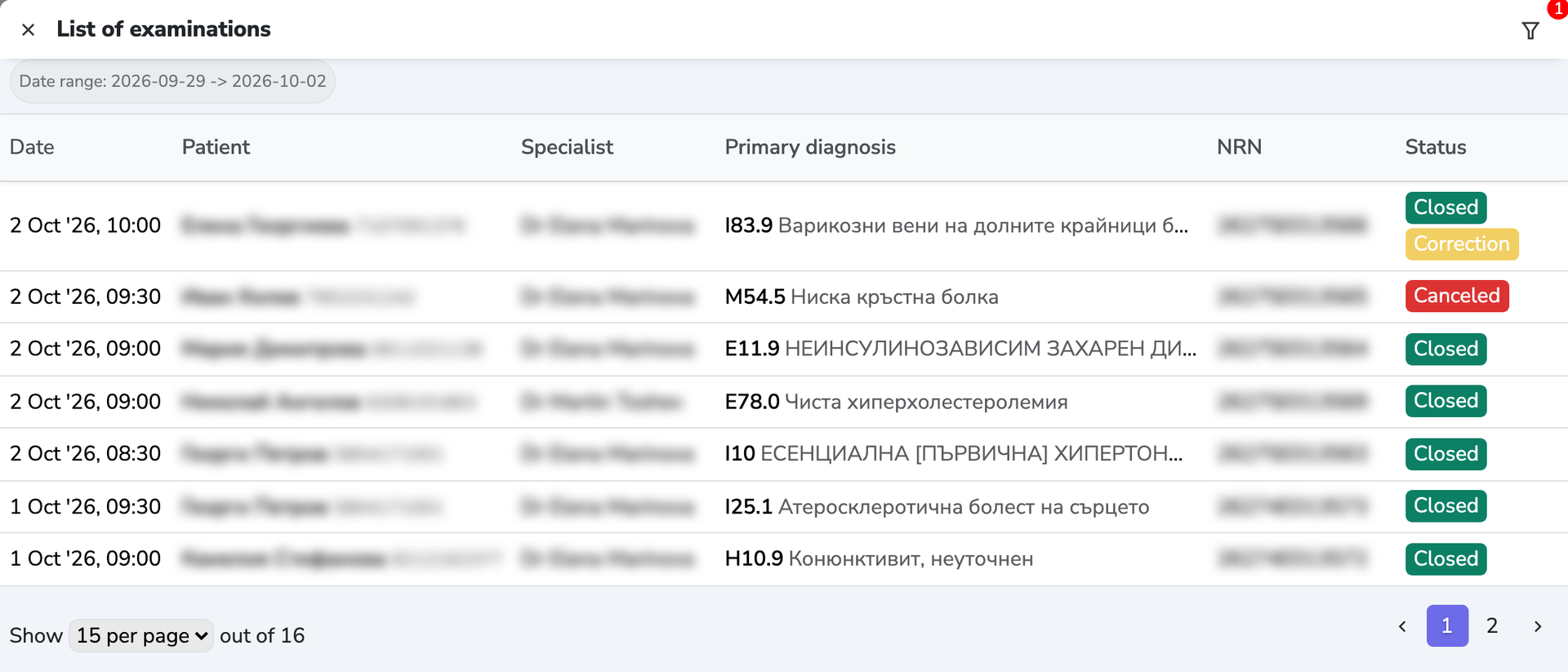
List of examinations
Every examination of the practice in one table
The list opens on today's examinations — the doctor's working day. Period, status, specialist and medical facility are filters, and a row opens the examination.
Templates
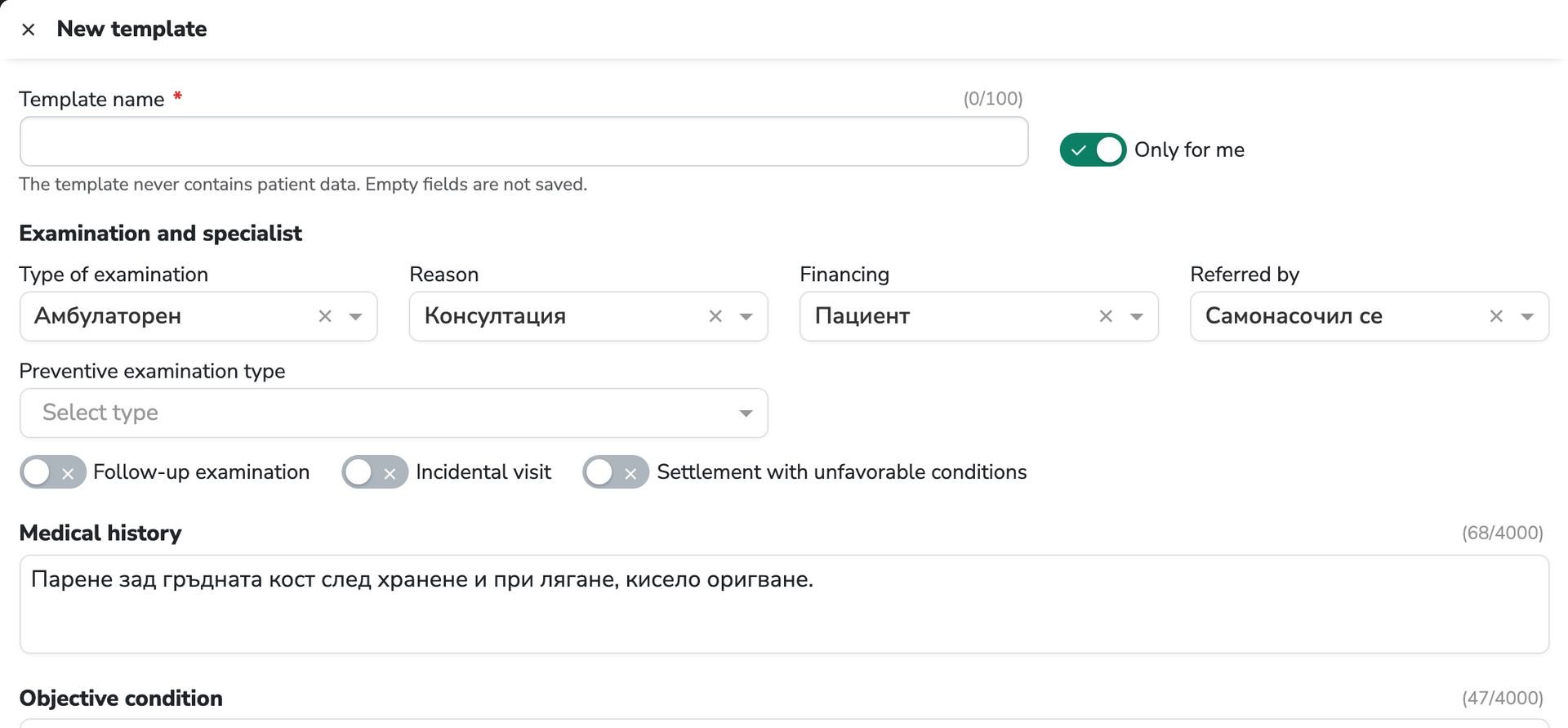
Templates for the examinations you write often
A template fills in the examination's fields and is saved from the current examination with “Save examination as template”. It never contains patient data.
- Personal (“Only for me”) or shared with the practice
- “Copy from previous examination” takes the patient's last closed examination
Search in HIS
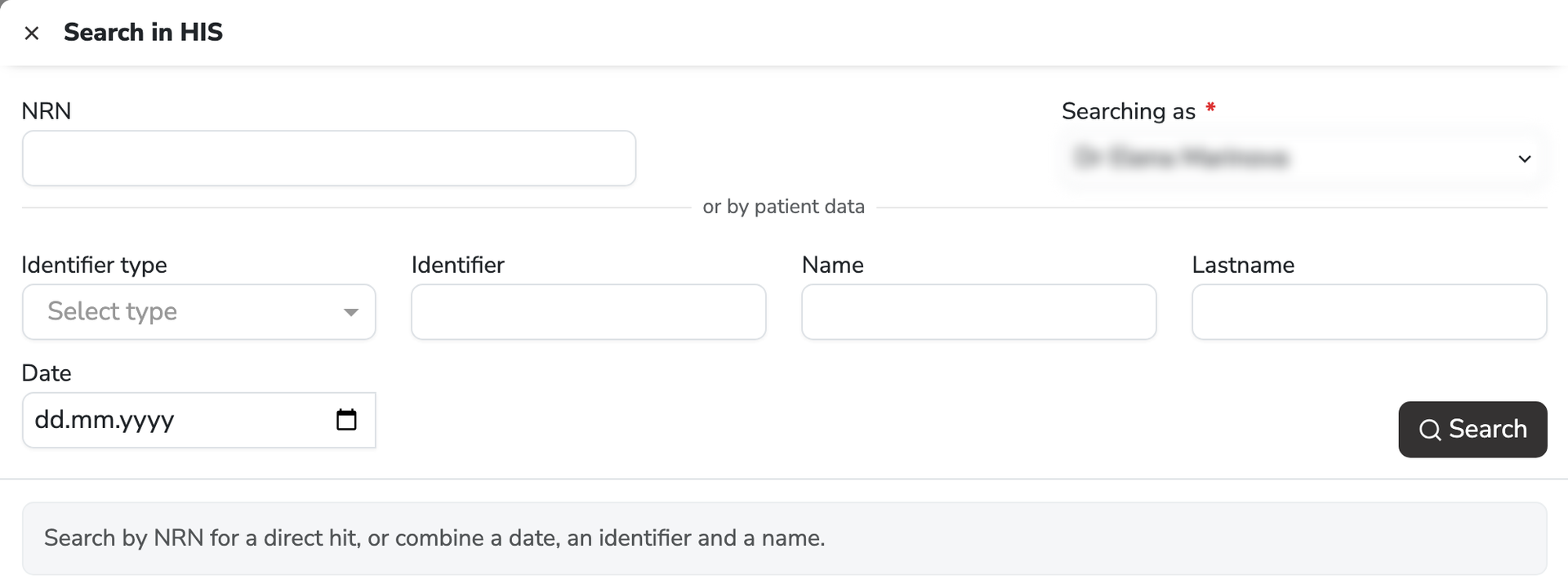
Examinations in the national system, not only yours
Search by NRN for an exact match, or by identifier, name and date — including a foreigner's ID or a passport. The examination found opens in full, as NHIS returns it.
Substitution
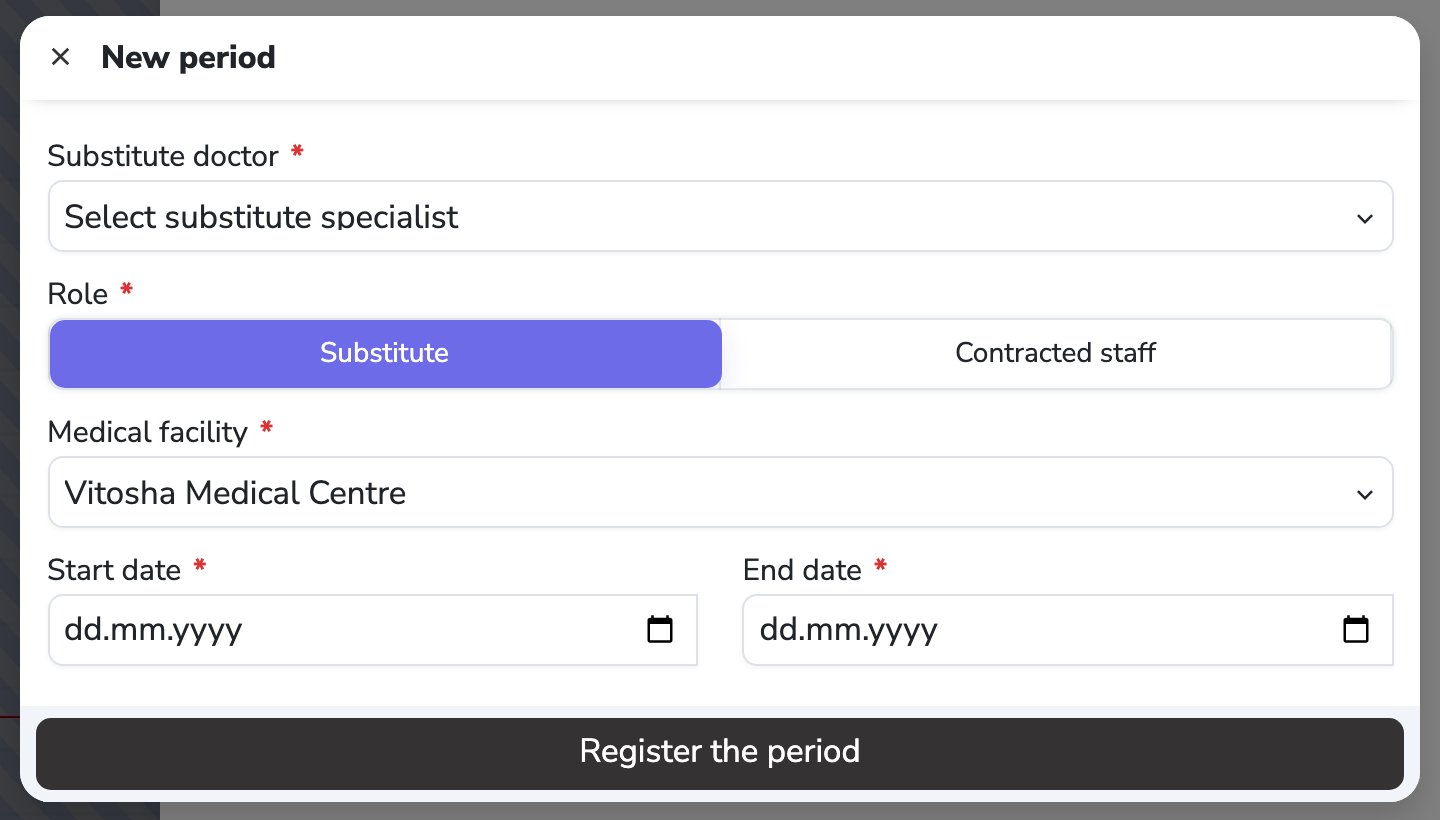
A substitute or contracted doctor, registered in NHIS
The principal doctor adds a period — substitute doctor, role, medical facility and dates — and registers it in NHIS with their own e-signature. Without that period NHIS rejects the substitute's examinations.
In the demo we walk through the e-examination, referrals and prescription on a sample schedule for your practice.
Inside the e-examination
What the NHIS e-examination contains
Notes
- Medical history
- Objective condition
- Assessments
- Therapy
- Additional information
Diagnoses and activities
- Primary diagnosis
- Accompanying diseases
- Specialized activities
- Clinical status
- Verification status
Documents
- E-referral
- E-prescription
- Ambulatory sheet
- Correction
- Voiding
Common questions
What doctors ask about NHIS
Which software keeps the schedule and NHIS in one program?
Reservation.Studio Business. The schedule, online booking, the NHIS e-examination, e-prescription, e-referral and payment with a fiscal receipt are one system, and the e-examination opens from the booked appointment.
How is an e-prescription issued from the examination?
From the open or closed e-examination: “Create” in the “Prescriptions” section, the medication and dosage, then “Issue in HIS” with the doctor's e-signature. Below the dosage the doctor sees the text that goes to NHIS.
How is an e-referral issued from the examination?
From the open or closed e-examination: “Create” in the “Referrals” section, the referral type and the specialty or activity, then “Issue in HIS” with the doctor's e-signature. The diagnoses are taken from the examination, and a draft stays until you issue it.
How is an incoming referral entered?
In the examination's “Based on document” field the doctor enters the NRN of the referral the patient came with. For an NHIF examination with a specialist and for a follow-up examination the field is required and goes to NHIS with the examination.
How much does the NHIS module cost?
NHIS is a module on top of the Reservation.Studio Business subscription. The calculator on the Pricing page shows the amount for your practice by number of doctors and locations, and we confirm it together in the demo.
What do I need to start?
To start you need the doctor's qualified e-signature, the desktop app on the computer that signs, and the NHIS module switched on. The location carries the medical facility's registration number, and every doctor carries a UIN and a specialty code.
Does it work on Mac and Linux?
Yes. The Reservation.Studio Business desktop app runs on Windows, macOS and Linux and signs with an e-signature on all three. The patient's signature on a Wacom tablet is Windows only.
Which e-referrals and e-prescriptions can be issued?
E-referrals for medical diagnostics, consultation, highly specialized activity and hospitalization. The e-prescription is the white prescription paid by the patient, with single or multiple dispensation. Prescriptions reimbursed by the NHIF are not issued from the system for now.
Does it suit a practice with an NHIF contract?
Yes, for the examinations: examinations financed by the NHIF are sent to NHIS with the referrals and data NHIS requires. Monthly reports to the NHIF are made outside the system.
Can I bring data over from my current program?
Patients and the schedule move over as starting data when the export allows it. Examinations already sent stay in NHIS and are found with “Search in HIS”.
Can a closed examination be corrected?
Yes, with “Correct”. The correction is sent to NHIS, and the dates, doctor and patient do not change. An examination with an NRN is never deleted — it is voided once its referrals and prescriptions are voided.
Does it work with a substitute or contracted doctor?
Yes. In “Substitution in HIS” the principal doctor registers the period with their own e-signature, and the substitute's examinations go to NHIS with both doctors' data.
Does it suit a dental practice?
For the schedule, patients, payments and online booking — yes. Dental treatment is not reported to NHIS from the system for now.
Next step
See pricing, clinics or book a demo
NHIS is a module in the calculator on the Pricing page. The clinics solution shows the whole system for the practice, and in the demo we walk through your examinations on a sample schedule.