
Organize products, stock locations, categories, brands, suppliers, prices, units, SKUs, and barcodes in one model.
Inventory, retail, and consumables
Inventory next to services and sales, not in a separate spreadsheet
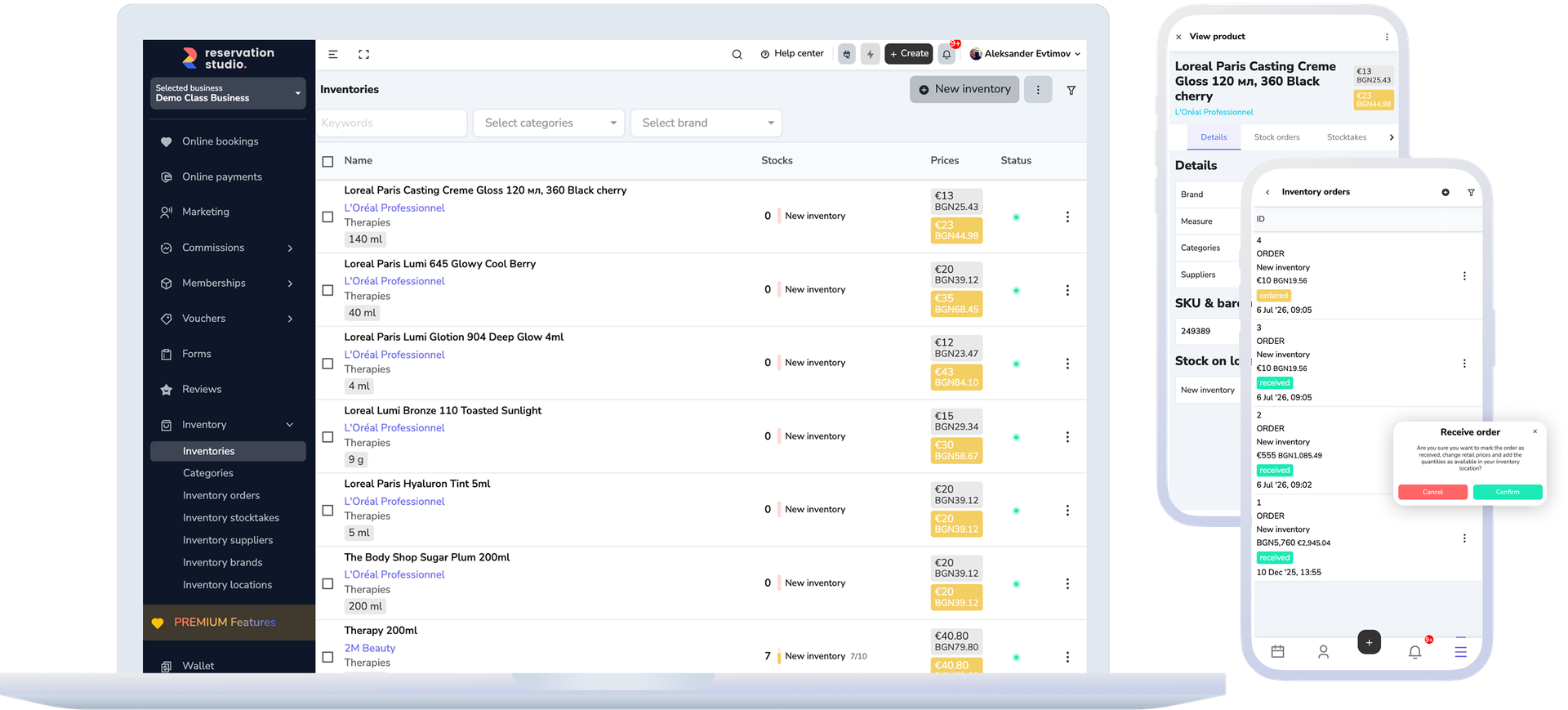
When the business sells products or uses consumables during services, stock affects service delivery, revenue, and replenishment. Reservation.Studio Business helps the team see what is available, what is moving, and what needs to be restocked in time.
Why this matters
It is not enough to know what was purchased. You need to know what remains, where it is, and why it changed.
In a salon, spa, clinic, or multi-location business, inventory is not just a catalog. The same product can be sold to a client, used as a consumable, moved between stock locations, or corrected after a physical count. If this lives apart from sales, the picture gets blurry quickly.
Receive new stock, move quantity between stock locations, and reconcile counts through stocktakes instead of manually editing everything.
Connect retail product sales and service consumables to the same payments, balances, and reports.
Set low and desired quantities so you see when to restock, before a missing product stops a sale or service.
How inventory should work
From product card to sale, usage, transfer, or stocktake
A usable inventory model starts with a clear product structure and then uses the right action for each quantity change. The team sees not only current stock, but also the reason it changed.
- Create stock locations first, then organize categories, brands, suppliers, and units of measure.
- Add or import products with price, unit, SKU, barcodes, and low or desired quantities per stock location.
- Use a delivery when stock enters a location and a transfer when it moves between locations or branches.
- Retail sales and service consumables reduce quantity through the same inventory model.
- When the team performs a physical count, use a stocktake to align the system with the real quantity and keep a trace of the change.
What this includes
The screens of the inventory module
A product, a stock location and a quantity are three different things, and quantity only changes through a document — that is the difference between accurate stock and a spreadsheet of good intentions.
Products
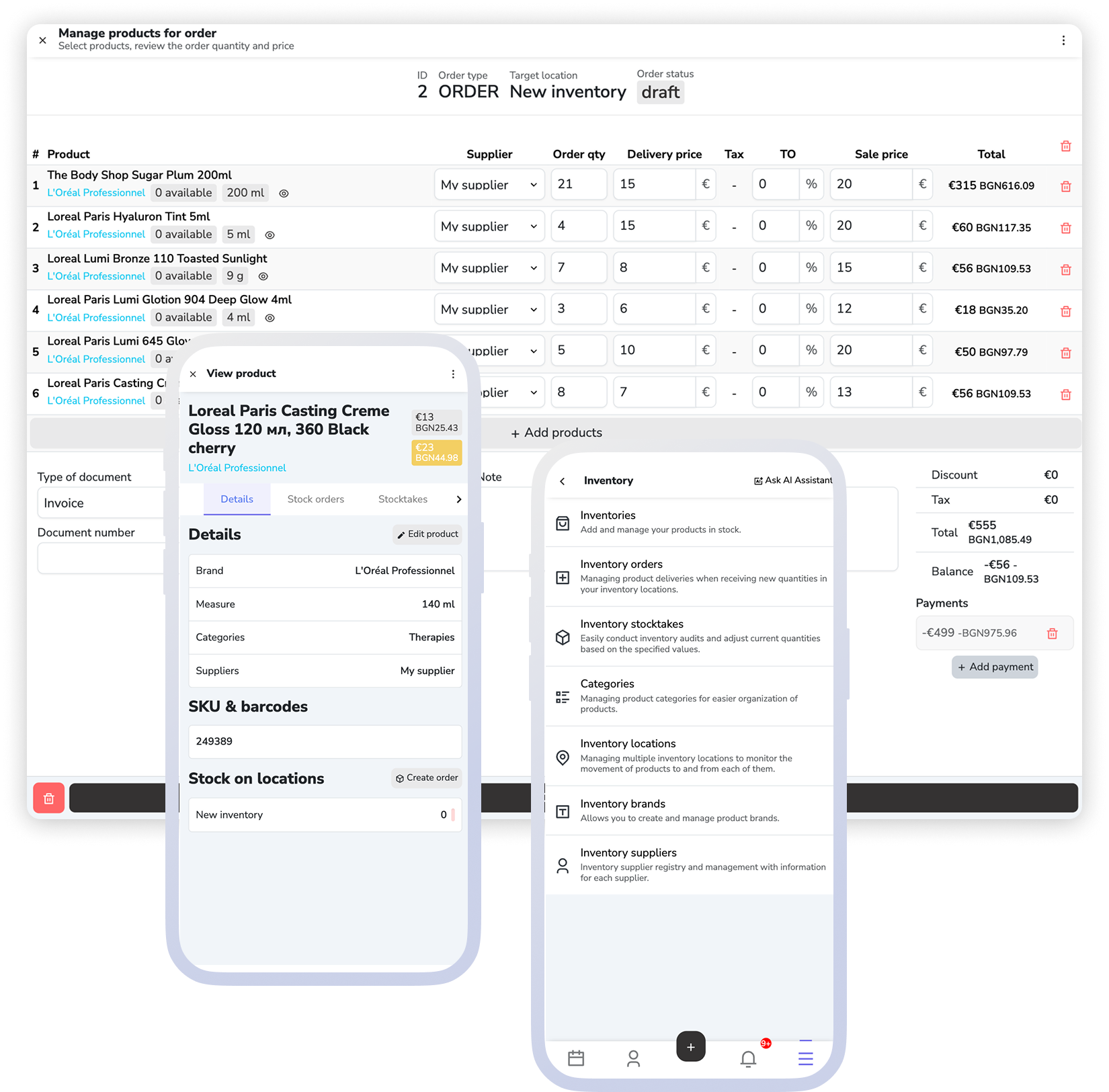
A product card with name, unit, prices, categories, suppliers and SKU or barcode. Creating a product does not increase stock on its own.
Stock locations
Quantity is tracked per location, so the same product can hold different amounts in different places. Each location has its own staff access and its own method for calculating cost prices.
Orders and transfers
A delivery takes quantities into a target location and a transfer moves them between locations. Both change the stock at the moment the document is completed.
Stocktakes
You count the real quantity and align the system with it, instead of correcting stock levels one by one.
Retail product sales and service consumables
Products sold to clients and materials used during services reduce stock through the same inventory model.
Reports for stock, movement, and product sales
Management can review current quantities, stock movement, inventory activity, and retail sales without separate spreadsheets.
What improves
Fewer stock gaps, more traceable retail sales, and clearer consumable control
The gain is not only a more accurate product list. The team knows what can be sold, what services use, and what needs to be restocked before it becomes a problem.
Fewer stock surprises
The team sees earlier when a product drops below the desired level and where a shortage can affect a sale or service.
A better link between inventory and retail
Retail product sales do not sit on their own. They stay connected to payments, client purchases, and reporting.
Clearer control over professional consumables
Materials used during services can be tracked to a specific stock location instead of becoming an invisible cost.
FAQ
What teams usually ask about inventory and retail
Is this only for businesses with a large retail operation?
No. It also matters for teams that sell a small number of products, use consumables during services, or need clearer stock visibility by location.
What actually changes stock quantity?
Stock changes through actions such as a received delivery, a transfer between stock locations, a completed stocktake, a retail product sale, and consumables added to a service.
Does creating a product add stock?
No. The product card defines the item, price, unit, SKU, barcodes, and helper data. Quantity changes through stock movement.
Can one product be tracked in multiple stock locations or branches?
Yes. One product can have different quantities by stock location, so deliveries, transfers, and stocktakes need to happen against a specific location.
Can service consumables reduce stock?
Yes. If a service price option has inventory consumables configured, those consumables can be added to the service sale and reduce stock through the same inventory model.
What is the role of reporting?
Inventory screens are for products, deliveries, transfers, and stocktakes. Reports are for the management view: quantities, movement, and product sales.
Next step
See payments, reporting, or book a demo
If the next question is how products and services are sold and paid, open payments. If you want the management view for stock and movement, open reporting. If you want to see how inventory fits your workday, book a demo.