
Keep bookings, sales, installments, memberships, vouchers, wallet movements, forms, notifications, and check-ins tied to one client profile.
Client records and repeat visits
Client records the team can actually work from
Keep visit history, notes, purchases, balances, and everything that matters about the client in one profile that reception, specialists, and managers can open without guessing.
Why this matters
The client profile should be the operating hub, not a contact card
When bookings, balances, forms, check-ins, and notes are split across places, every repeat visit starts colder than it should. The team asks again about details it should already know.
Start a booking, sale, membership, form, or check-in from that same profile instead of switching screens.
Keep imports, groups, duplicates, merging, export, and online-booking control inside the same clients module.
How the record should work
One profile the team can act from, not just look at
A useful client profile is not only searchable. It lets reception, specialists, and managers open one profile and continue the relationship from there.
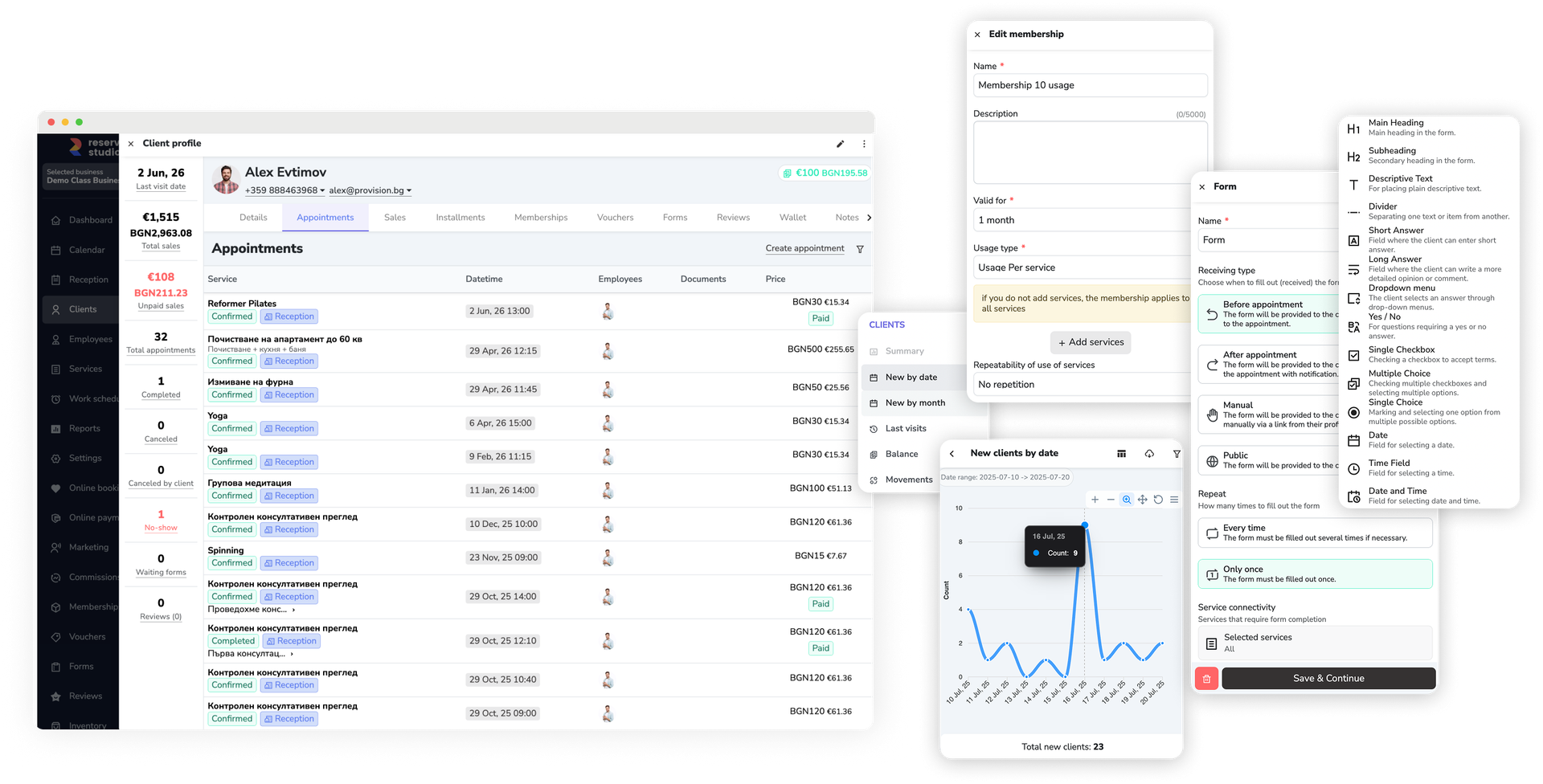
- Open one client profile and see the flags, core details, recent stats, and tabs that already shape the next action.
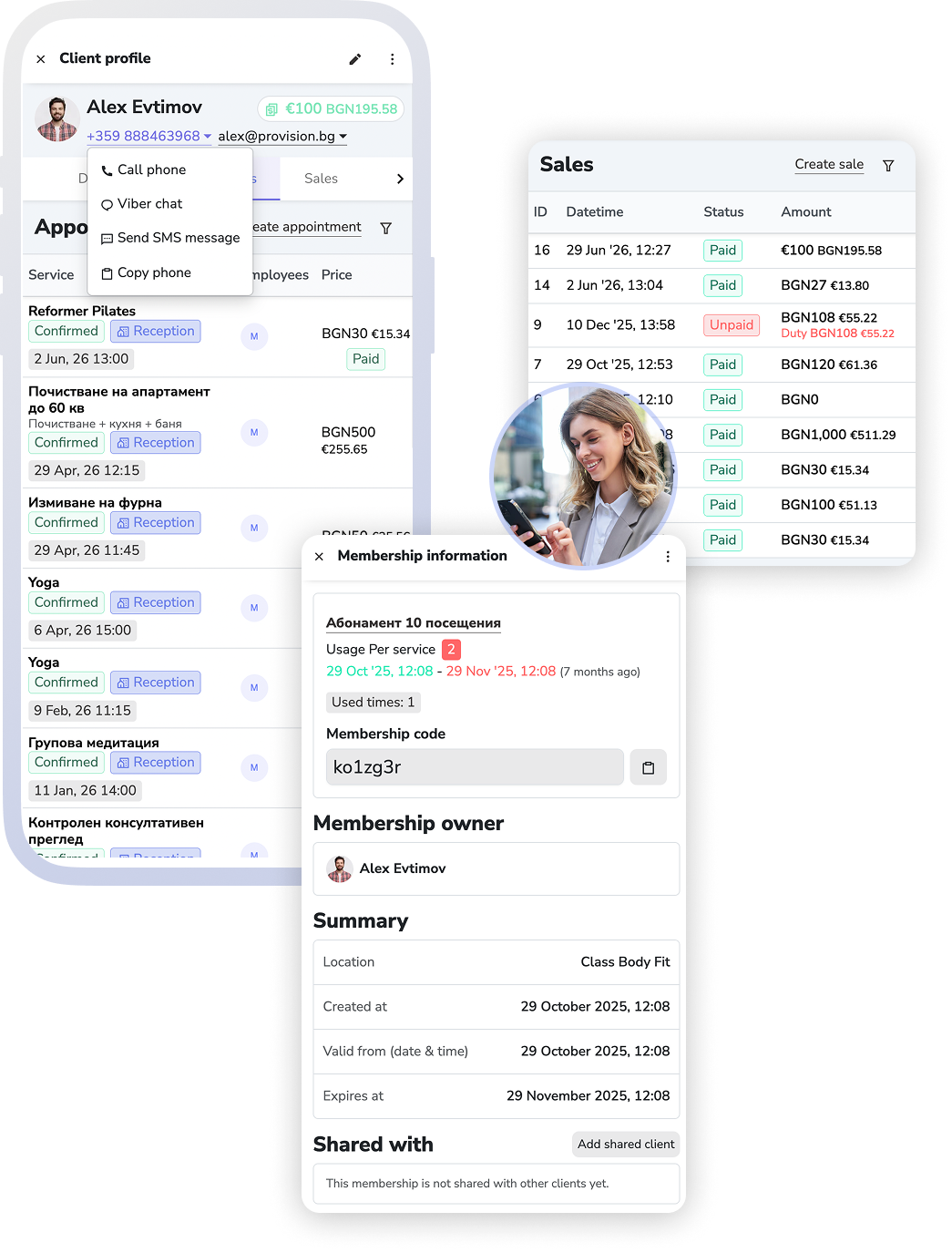
- Use the same profile to review bookings, sales, installments, memberships, vouchers, wallet movements, forms, notifications, and check-ins.
- Move from that profile into a booking, sale, membership sale, voucher sale, manual form, or check-in without leaving the profile.
- Use import, groups, duplicate search, merging, blocking or restoring online booking, and export to keep the client base workable.
What this includes
The screens for working with clients
"Clients" is the list everything starts from: creating, searching, cleaning up and opening the profile.
Client profile
Bookings, sales, installments, memberships, vouchers, wallet, notes, documents and recent activity in one place. A new booking, sale, form or check-in also starts here.
Client groups
"Manage groups" organizes the base by a trait you later use for audiences, campaigns and filters.
Import and export
Clients from a spreadsheet, phone contacts through the mobile app, plus an export of the base when you need it outside the system.
Duplicates and merging
You search for duplicate profiles and merge them, instead of one client carrying history in two places.
Blocking online booking
From the client's menu you stop or restore their ability to book online, without deleting them from the base.
What improves
Clearer continuity and fewer forgotten details
The gain is not a fuller profile for its own sake. It is a record that helps the business work with the same client more clearly over time.
Faster orientation before the visit
The team meets the client with the history, balance, and notes already in view.
A more trustworthy client base
Duplicates, missing profiles, and scattered client lists become less of a daily problem.
A stronger base for repeat business
The client record supports the next visit instead of forcing the team to reconstruct it.
FAQ
What teams usually ask about client records
Is this just a contact list?
No. It is the client profile the team works from every day: history, bookings, sales, balances, forms, notes, and the actions the team needs between visits.
Does this also include imports, groups, and duplicates?
Yes. Import, export, client groups, duplicate search, and profile merging belong to the same clients module because data quality directly affects daily work.
Does this matter only for reception?
No. It matters for reception, specialists, and managers alike — all of them see the same client history and notes, from booking to payment.
Does this replace forms and memberships?
No. It connects to them. The client record is the hub, while forms and memberships handle their own separate jobs.
Next step
See forms, memberships, or book a demo
If the next problem is pre-visit preparation, open forms. If it is memberships, vouchers, and remaining value, open memberships. If you want to see how the record supports real continuity, book a demo.