
Clients can book through your website, public profile, booking link, widget, WordPress setup, or custom domain without waiting for business hours.
Online booking under your brand
Online booking for your website, widget, and custom domain
Clients can book 24/7 through your website, WordPress setup, widget, or custom domain, while bookings still follow the same rules, availability, and next steps as the internal schedule.
Why this matters
Online booking only helps when it does not create more work
The problem is not adding a Book Now button. The problem starts when clients see one set of services and rules, and the team later has to move slots, explain restrictions, and repair the booking.
Show only real services, staff, slots, and rules instead of letting your booking page promise something the team cannot actually deliver.
Require a prepayment percentage on booking, while clients marked as trusted book without a deposit.
Booking also works through your own site and domain alone — the location does not have to appear in Marketplace.
Online bookings land in the same schedule and working rules instead of leaving the team to fix them by hand afterwards.
How the booking path should work
From website visit to a booking that lands cleanly in the schedule
A stronger public booking path does not stop at the form. It guides the client to the right appointment and brings that booking back into the day the team already manages.
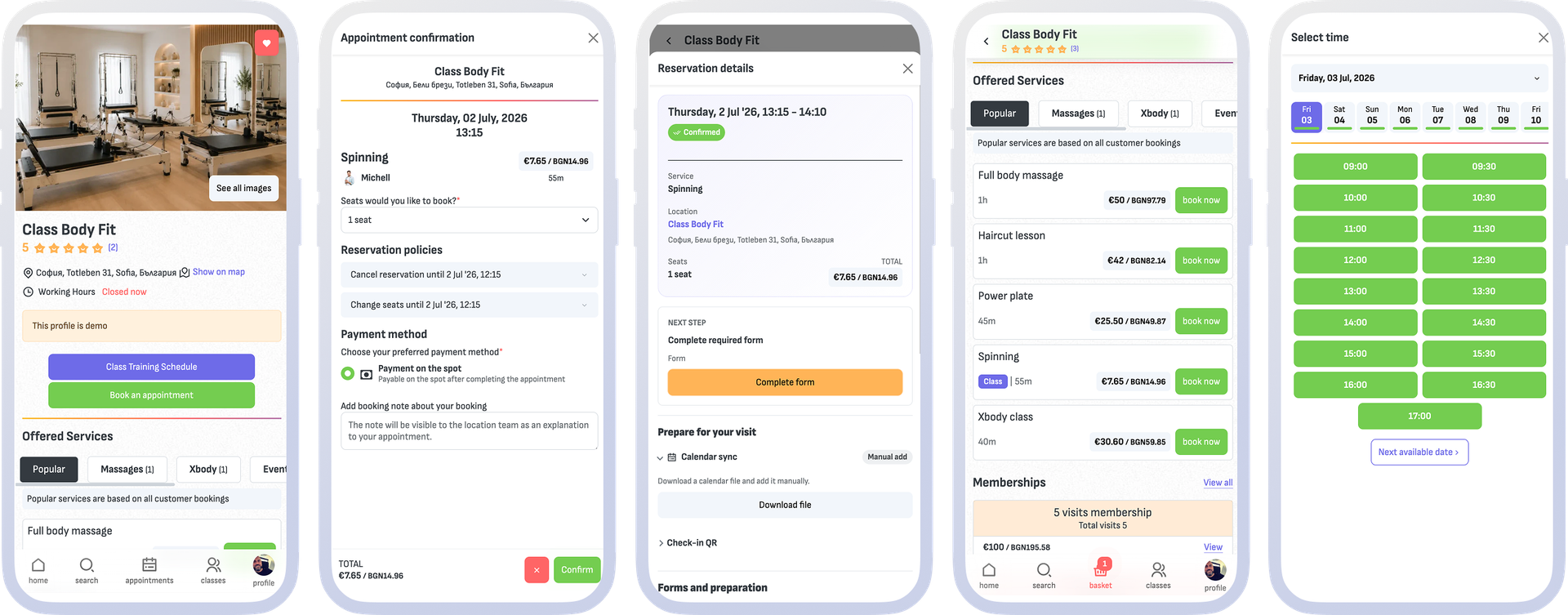
- Clients reach booking through the website, public profile, widget, WordPress setup, custom domain, or a direct booking link.
- They see services, staff, and slots based on the same real availability and booking rules used internally.
- They receive clear restrictions, notice periods, and client-facing messages before the visit instead of forcing the team to explain everything afterward.
- Online bookings land in the same schedule, the same pending-approvals list, and the same front desk work, instead of being copied over by hand.
What this includes
The settings that define the public path
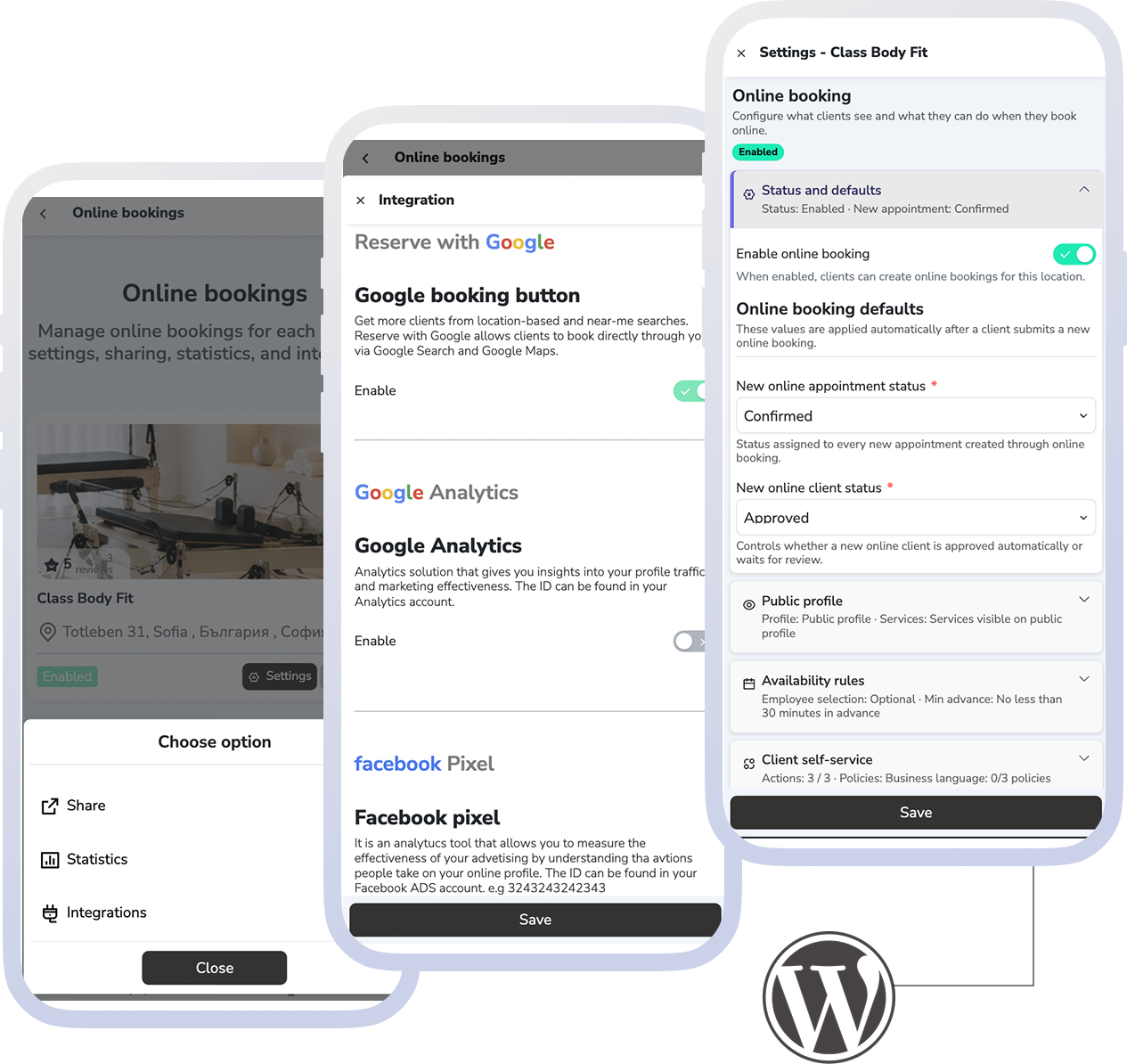
"Online bookings" lists the business locations, and each one opens a form with its own groups of settings — the same groups appear below.
Public profile and visibility
When the location is public, how its profile looks and what a visitor sees. The public profile, the direct link and website booking all start here.
Booking rules and availability
The status new requests arrive with, available slots, staff selection, and how early or how far ahead clients can book. Separate restrictions decide which days and hours accept a request at all.
Client self-service changes
You decide whether clients can cancel, reschedule or change seats themselves — and up to what point. This is the difference between self-service and a phone that rings for every change.
Widget, WordPress, and custom domain
Embed booking into your own site with the widget or the official WordPress plugin, and with Online bookings PRO move it onto your own domain, with your logo and color — without the location appearing in Marketplace if you prefer.
Prepayment and no-show protection
Require a percentage of the price on online booking. The appointment waits for payment before it is confirmed, while regulars marked as trusted book without a deposit. The money lands in the business account.
What the business gains
What improves when everything stays in sync
Online bookings can grow without creating more cleanup, more explanations, or more manual repair work for the team.
More bookings outside business hours
Clients can book when it suits them without the team returning calls and messages for every open slot.
Fewer corrections after booking
Clients see more realistic services, availability, and rules, so the team spends less time fixing expectations afterward.
A clearer branded path to booking
The widget and custom domain give the business more control over how clients discover, understand, and book services.
Fewer no-shows and late cancellations
Prepayment on booking, reminders, and clear deadlines for cancelling or rescheduling reduce empty slots without the team chasing each client individually.
FAQ
What teams usually ask about online booking
Is this only relevant for businesses with their own website?
That is where it matters most, but not only there. This page covers booking through your own website, widget, WordPress setup, custom domain, public profile, and direct booking links.
Does this also cover the public profile and booking rules?
Yes. This page includes the public profile, visibility, booking rules, request restrictions, and the client-facing messaging around online booking.
Can the website and widget follow the same booking rules as the internal calendar?
Yes. The website and widget should stay tied to the same services, availability, restrictions, and messages instead of drifting away from the real booking model.
Can booking stay under our own brand?
Yes. The widget and custom domain help bring booking into the business’s own site and branded path when that matters.
Can I take online bookings without appearing in Marketplace?
Yes. With Online bookings PRO, booking lives on your own domain, and the "Hide from Reservation.Studio marketplace" setting keeps the location out of the public catalog. Online booking does not require Marketplace.
How do I reduce no-shows on website bookings?
Set a prepayment percentage on online booking. The appointment waits for payment before it is confirmed, while clients you have marked as trusted book without a deposit. Separately, you set how late a client can cancel or reschedule.
Is there a ready way to put booking into WordPress?
Yes. There is an official plugin with shortcodes and admin settings, so booking can go on whichever page you need without development work.
Where do Marketplace and client apps fit?
They belong to the wider group of public booking channels. This page focuses on your own website, widget, WordPress setup, and custom domain. If you want to see every channel side by side and what stays under your control, open booking channels.
Next step
See availability, the channels, or book a demo
If the problem is which slots and resources should be shown, open availability. If you want to compare every booking channel and what stays under your control, open booking channels. If you want to see how website booking flows into daily operations, book a demo.