
Free demo
See how the system would run your salon, clinic, or studio
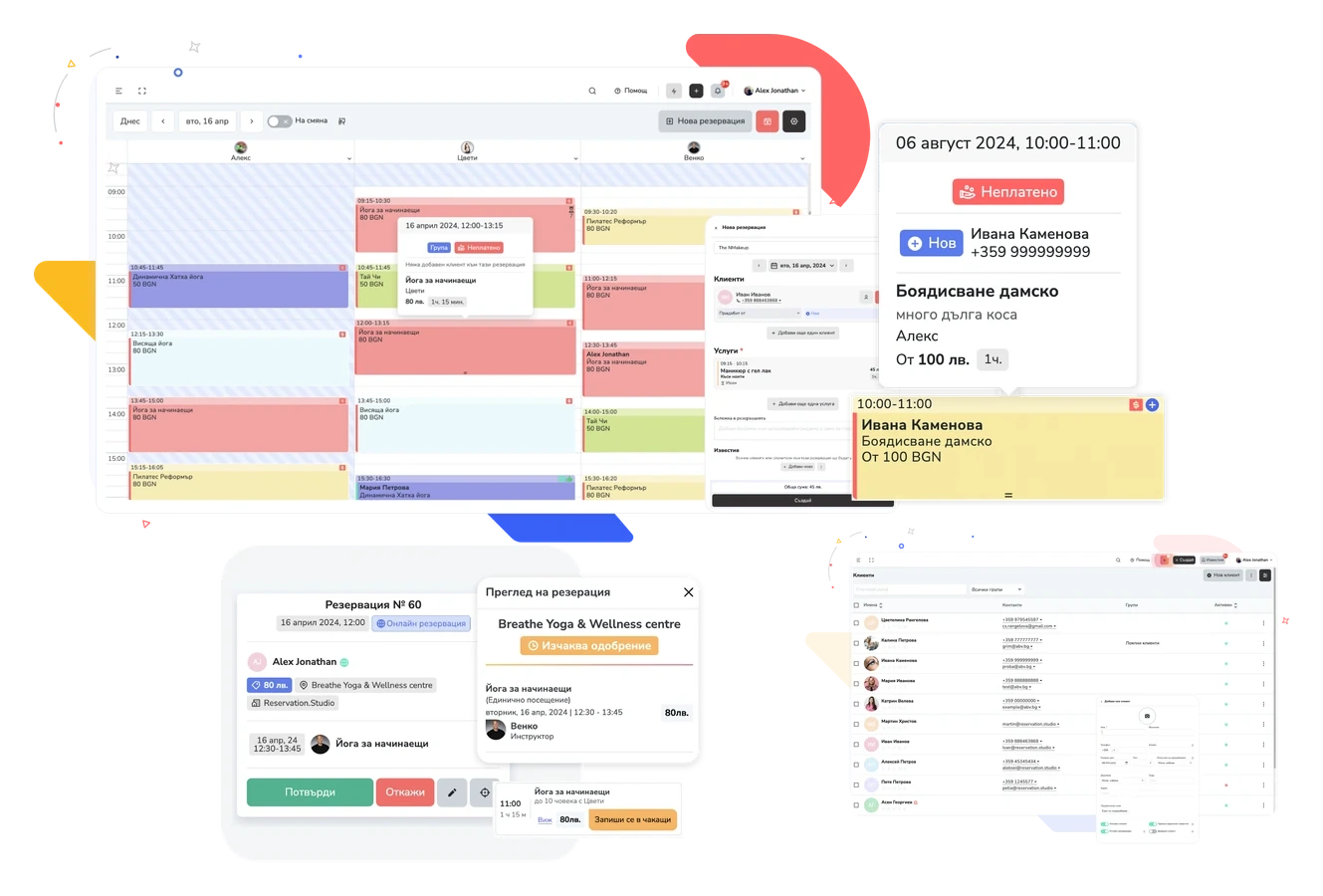
We show Reservation.Studio Business on a sample schedule for your type of business: calendar, front desk, clients, online booking, payments. No commitment and nothing to pay.
Demo request
Leave your contact details and tell us what kind of business you run
Five fields. We sort out the rest on the phone — including the case where you already use another system and have data to move.
After the request
What happens after you press ‘Request demo’
You do not get an automated email with links — you get a call from a person who knows the product.
- We call back during working hours, almost immediately, and ask how your schedule runs today.
- We show the system on a sample schedule for your type of business — calendar, front desk, clients, payments.
- We end with a concrete price for your team and locations and with what should go live first.
Demo FAQ
What people usually ask before booking a demo
Is the demo free, and does it commit me to anything?
Yes, it is free — and no, there is no obligation. The demo is a conversation where you see whether the system fits your business. Nothing is paid or signed before you decide.
What should I prepare before the demo?
Nothing mandatory. It helps to know how many people work with clients, whether you have more than one location, and what costs you the most time today — the paper diary, Viber messages, missed appointments, or the end-of-month settlement.
Who should join?
The person who runs the front desk or the schedule every day, and the person who decides. In a small salon that is often the same person.
My team is not technical — will they manage?
That is why the demo starts from the front-desk screen, not from a settings list: you see how an appointment is booked, an arrival is marked, and a payment is closed. If that does not look easier than the paper diary and the chats, we will tell you so directly on the call.
Can the demo cover just the schedule, or just the packs?
Yes, and that is more useful. We start from what hurts most — the schedule, packages, commissions, or payments — and only go broader if it is useful.
What happens after the demo?
If the system fits, you get a concrete price for your team, locations, and modules, and we agree where to start — including moving clients over from your current software or from Excel. If it does not fit, we will tell you why.
Before the demo
If you want to look around before the call
Pricing and the platform overview are two pages away — neither is a prerequisite for booking a demo.