
Off until you switch it on
The owner switches AI connectors on for the business. Until then, nobody uses them.
AI connectors · beta
Connect Claude or ChatGPT to Reservation.Studio Business and ask in plain language — by typing or by voice. The answer comes from your own schedule, clients and reports, and if you say what to do, the appointment is booked, moved or cancelled.
From switching on to the first question
They switch AI connectors on for the business and choose who on the team uses them and who can make changes.
You add your own Claude or ChatGPT to Reservation.Studio in a few steps, with the account you already work with.
You ask a question or give an instruction — by typing or by voice, whichever suits the moment.
Before every change, the application says what it will do and waits for your "yes".
Sample conversations
Pick a topic and see what the conversation looks like. The names and amounts in the examples are sample data.
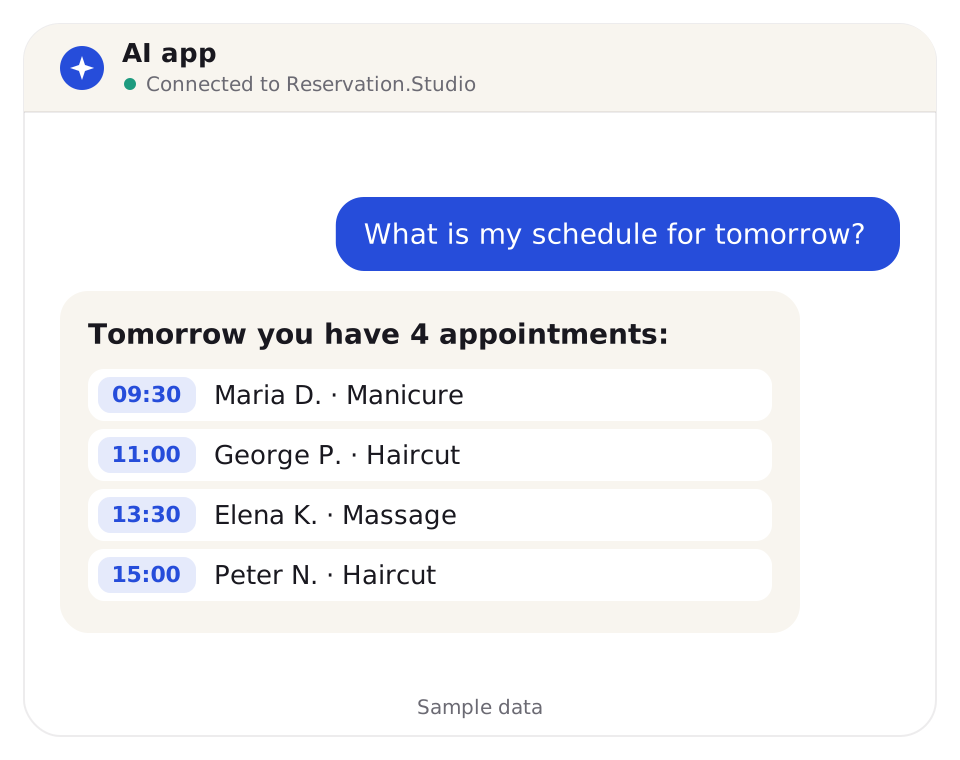
Your day
Instead of opening the calendar and counting, you ask. The answer is laid out neatly and comes from your own schedule.
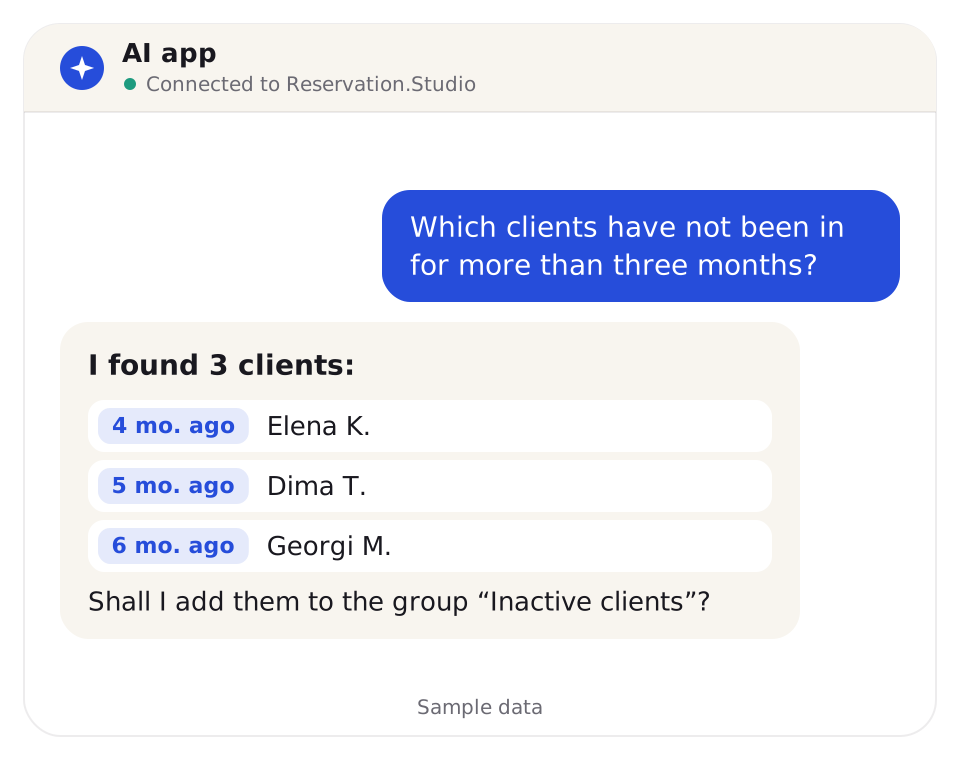
Clients
You ask about your clients in plain language — by last visit, birthday, group or a specific person.
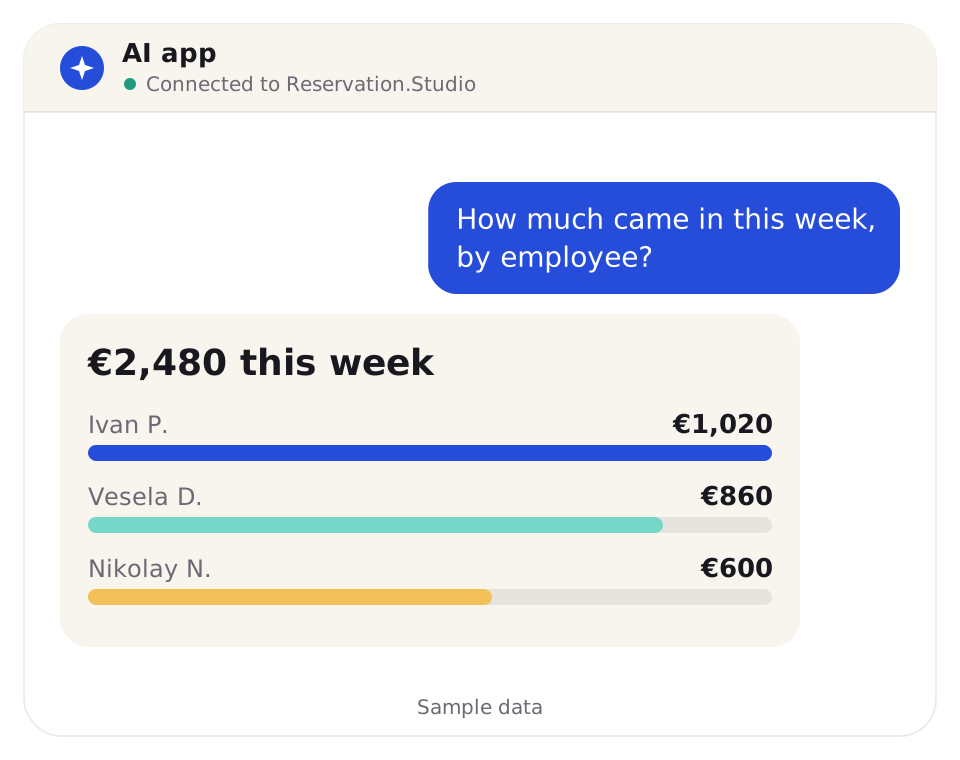
Money
You ask about takings, payment methods or commissions and get the numbers in the conversation. The next question continues from the previous one.
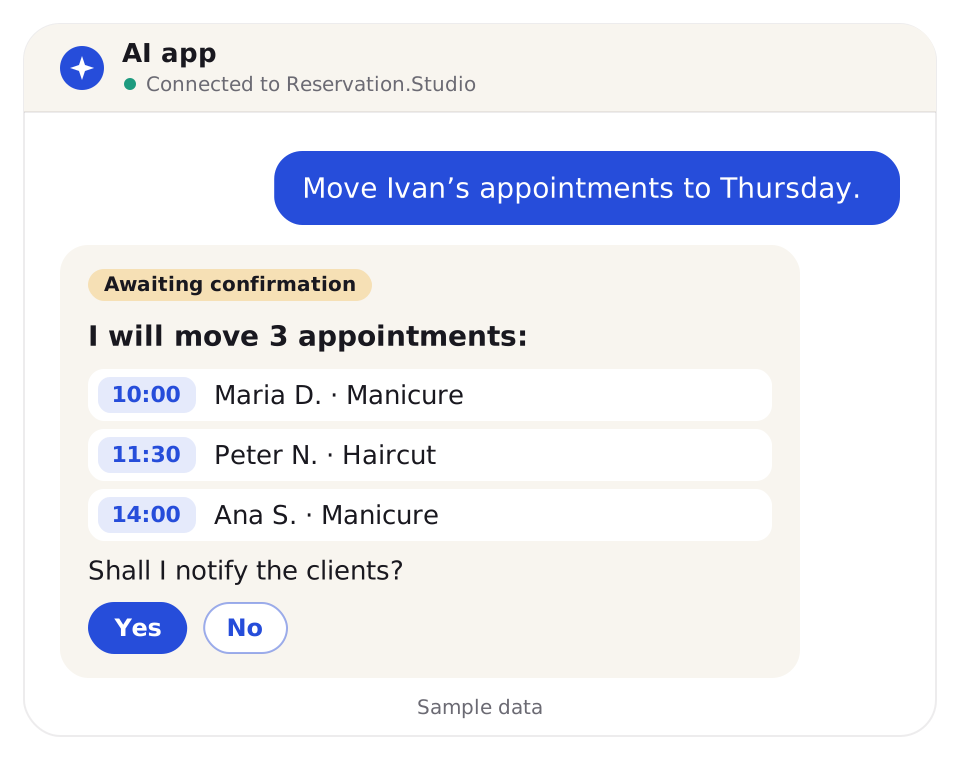
Changes
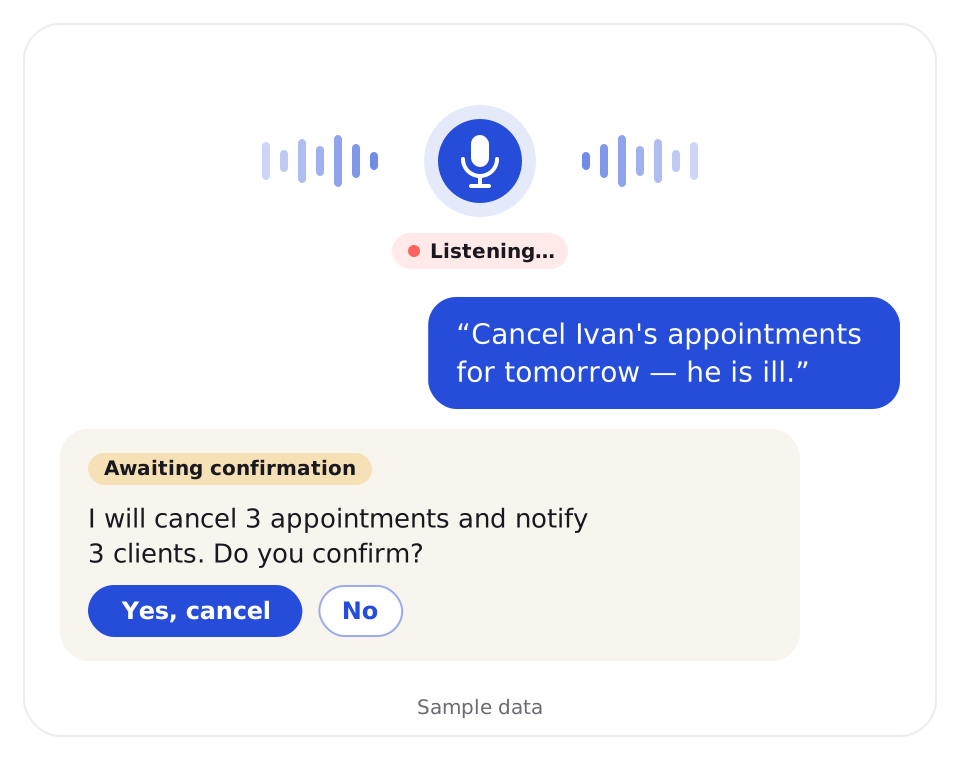
Booking, moving and cancelling appointments, blocking time, changing clients and working with the team's tasks — in one sentence. Before the change the application says what it will do and waits for your "yes".
When your hands are busy
Claude's voice mode works with the tools you have connected. You ask and give instructions by voice, and you listen to the answer.
See AI connectors on a sample schedule for your type of business.
Searching or asking
The same data, a shorter way to it.
| Without an AI connector | With an AI connector |
|---|---|
| You open the report and pick a period | You ask in one phrase — "How much came in this week?" |
| You set filters and read the table | You get the answer in the conversation |
| For another cut you start over | The next question continues from the last — "And by employee?" |
| On the phone you look for the right screen | You ask from your phone — by typing or by voice |
The control is yours
The owner switches AI connectors on for the business. Until then, nobody uses them.
The owner chooses who on the team uses the connector and which of them can make changes.
The connector reaches the data the person already has access to in Reservation.Studio, and nothing more.
Before every change — to an appointment, blocked time, a client or a task — the application says what it will do and waits for confirmation.
Each person can turn their own connector off at any time, and the owner can do it for the whole business.
What the connector reads is handled by the provider of the AI application under its terms. That is why the choice is yours.
FAQ
Anything you can already see in Reservation.Studio: the schedule, free times, blocked time, clients, services, the team, tasks and reports on revenue, payments, appointments and memberships issued. The answers come from your own data.
Yes, through the voice mode of the AI application. Claude has it on phone, desktop and web, and the tools you have connected work in it. Which languages are supported depends on the AI application itself.
Yes. AI connectors are in beta, and AI applications can make mistakes. Check the important things in Reservation.Studio.
Only a person the owner has allowed can make changes. Before every change the application tells you what it will do and waits for confirmation.
The owner. They switch AI connectors on for the business and choose for each employee whether to use them and whether to make changes. Each person can turn their own connector off at any time.
Claude and ChatGPT.
To the provider of the AI application you connect. The provider handles it under its own terms, which is why AI connectors stay off until the owner switches them on.
Next step
Book a demo and see AI connectors on a sample schedule for your type of business.