
Ask in plain language about features, settings, everyday steps, and common issues.
Fast first guidance inside the Help Center
A fast first answer when you do not know where to start
Use ‘Ask AI assistant’ in the Help Center when someone needs first guidance on a feature, setting, or work situation before opening a support ticket.
Why this matters
Use AI for orientation, not for every support case
The assistant matters when someone does not yet know which article, setting, or step they need. It shortens the path to a first useful answer and helps choose the next channel.
Get a faster first answer without starting from a long documentation search.
Continue with follow-up questions on the same topic before moving into another support path.
Move into tickets, phone, or documentation when the case needs tracking, account-specific help, or a person.
How it works
Ask in free text, continue the conversation, then choose the right channel
This is not an autonomous AI running the business. It is a faster first answer inside the same Help Center the team already uses.
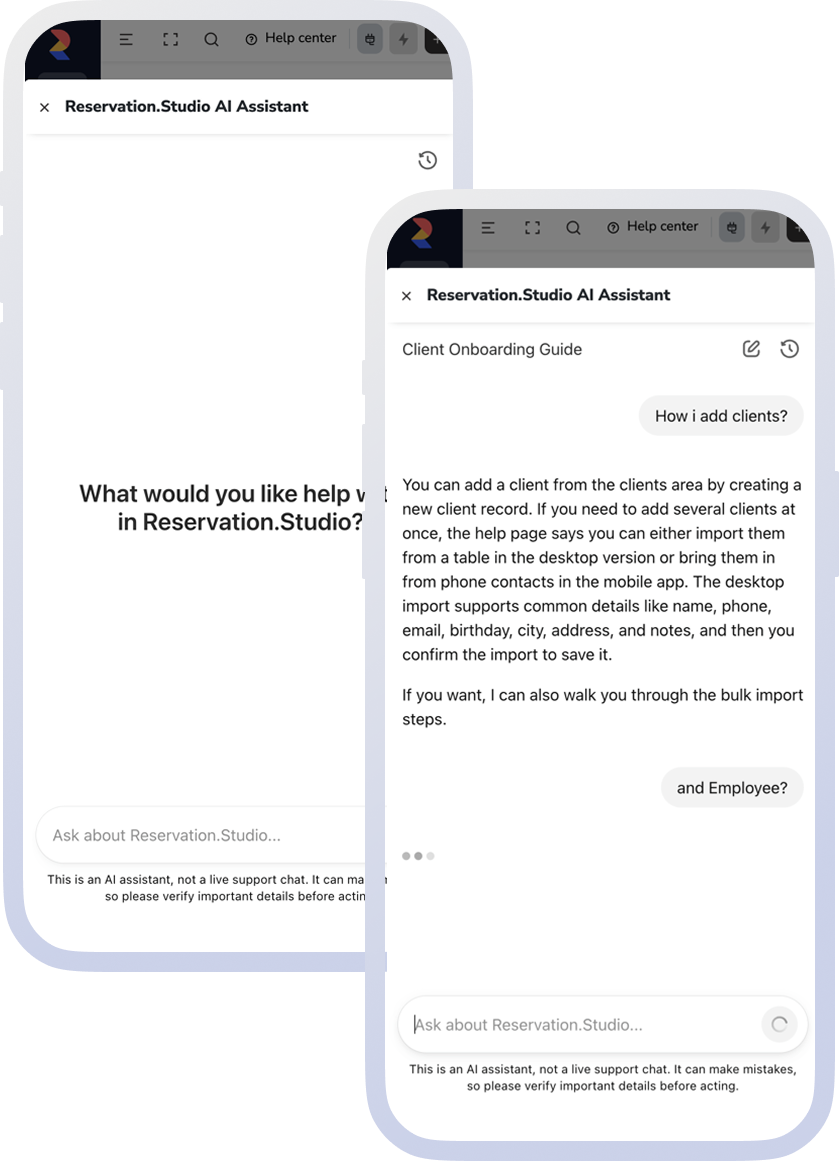
- Open the Help Center and choose Ask AI assistant.
- Ask the question in free text.
- Review the first answer about the feature, setting, or step you need.
- Continue with follow-up questions on the same topic if you need more detail.
- If the issue is account-specific, needs tracking, or still needs a person, move into tickets, phone, or documentation.
What this part includes
Where the assistant helps most
The focus is the assistant’s confirmed role in the product: first guidance and quicker orientation inside the Help Center.
Features and settings
The assistant helps people find where a feature or setting lives and what it is for.
Where to start and what comes next
When someone is unsure which screen to start from or what to do next, the assistant gives faster orientation.
Follow-up questions on the same topic
After the first answer, the conversation can continue until the team has enough detail to move on or open a ticket.
Repeated questions that do not need a ticket
Common product questions can reach a useful first answer before they become a tracked human case.
What improves
Faster first answers and less blind searching
Teams reach a usable first answer sooner and can decide more easily whether the issue ends there or needs to move into another support channel.
A faster first answer
People do not have to begin every question from zero inside the full documentation set.
A clearer next step
After the first answer, it becomes easier to decide whether the right next move is a ticket, a phone call, or a deeper help article.
Less time lost on repeated questions
Frequent questions about features and settings reach first guidance faster.
FAQ
What teams usually ask about the AI assistant
Is the AI assistant a real person?
No. It gives fast first guidance inside the Help Center; it is not a live chat with a person.
Can it make mistakes?
Yes. Important details should still be checked before action is taken.
Is it suitable for account-specific problems?
Not always. When the case needs tracking, files, or human follow-up, tickets or another support channel are the better fit.
Can we continue the conversation with another question?
Yes. It is designed for a first answer and follow-up questions on the same topic inside the Help Center.
Does it replace documentation?
No. It helps people reach the first useful answer faster, while documentation and tickets still matter for deeper cases.
Next step
See support, the Help Center, or book a demo
If you want the broader support model, open support. If you want to go straight to the articles, open the Help Center. If you want to see how this fits into the team’s day, book a demo.