
Specialists can get a convenient view of their own reservations through Google Calendar.
Calendar visibility for the team
Specialists see their appointments without splitting the schedule
When the day is busy, an external calendar helps with quick orientation. Reservation.Studio Business remains the place for bookings, changes, and client records, while calendar sync is only a convenient view.
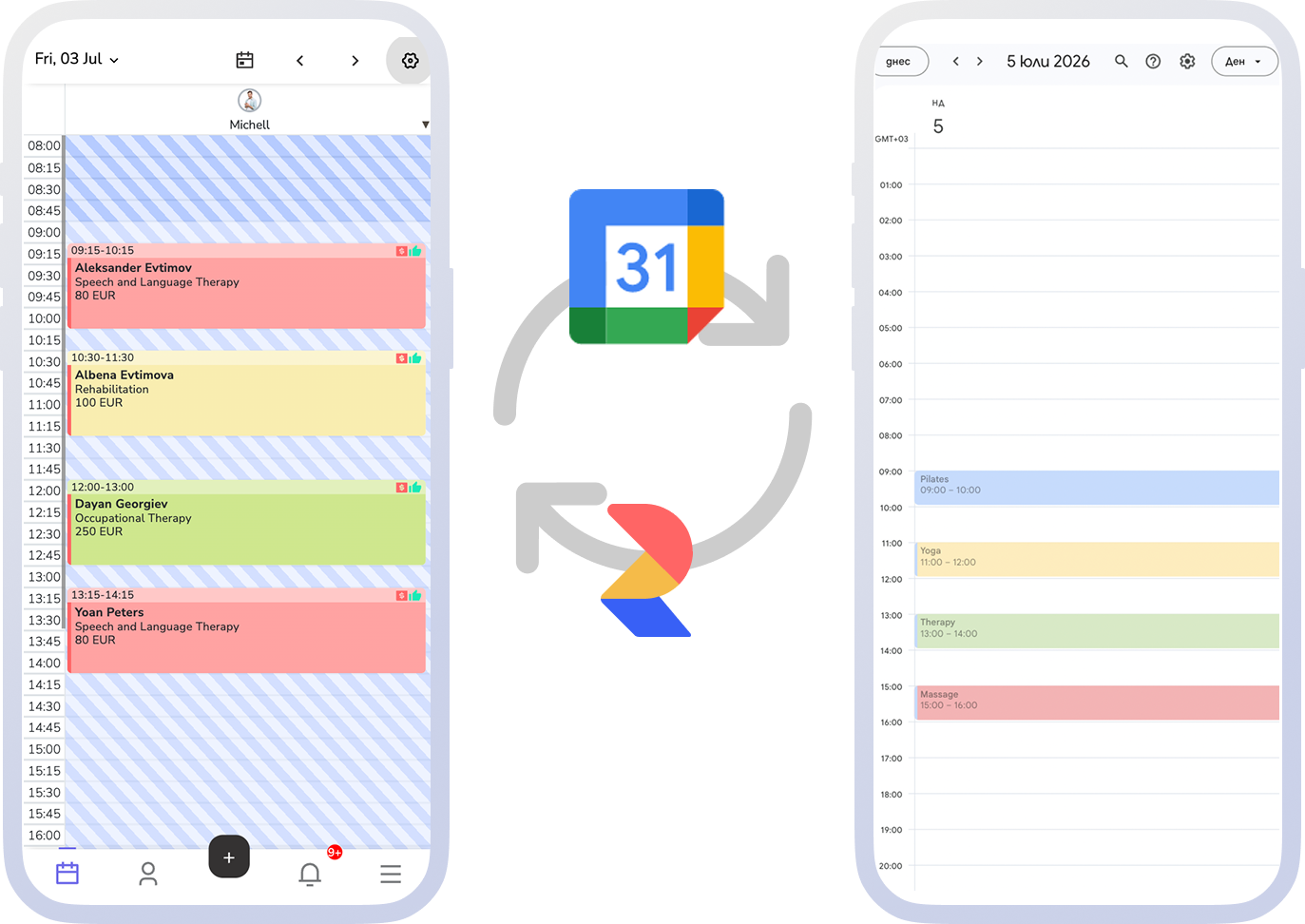
Core idea
An external calendar to check, the system for the real work
Calendar sync is useful when specialists want to see their own appointments in the calendar they already use, without the business creating a second schedule to manage.
Day-to-day work stays in the system: intake, changes, clients, payments, and reporting.
The team can see whether the calendar connection is active and refresh access when needed.
How the model works
Connect the calendar, enable visibility, manage the day from the system
The goal is not to make the team work in yet another system. The goal is to give specialists a useful personal calendar view while the main schedule and all appointment actions stay inside the platform.
- Connect Google Calendar from the integrations area in the system.
- Enable personal reservation sync for the people who need that extra visibility.
- Use the external calendar as a quick view of the day, not as the place to manage bookings.
- Refresh access when needed without losing clarity about which system stays in charge.
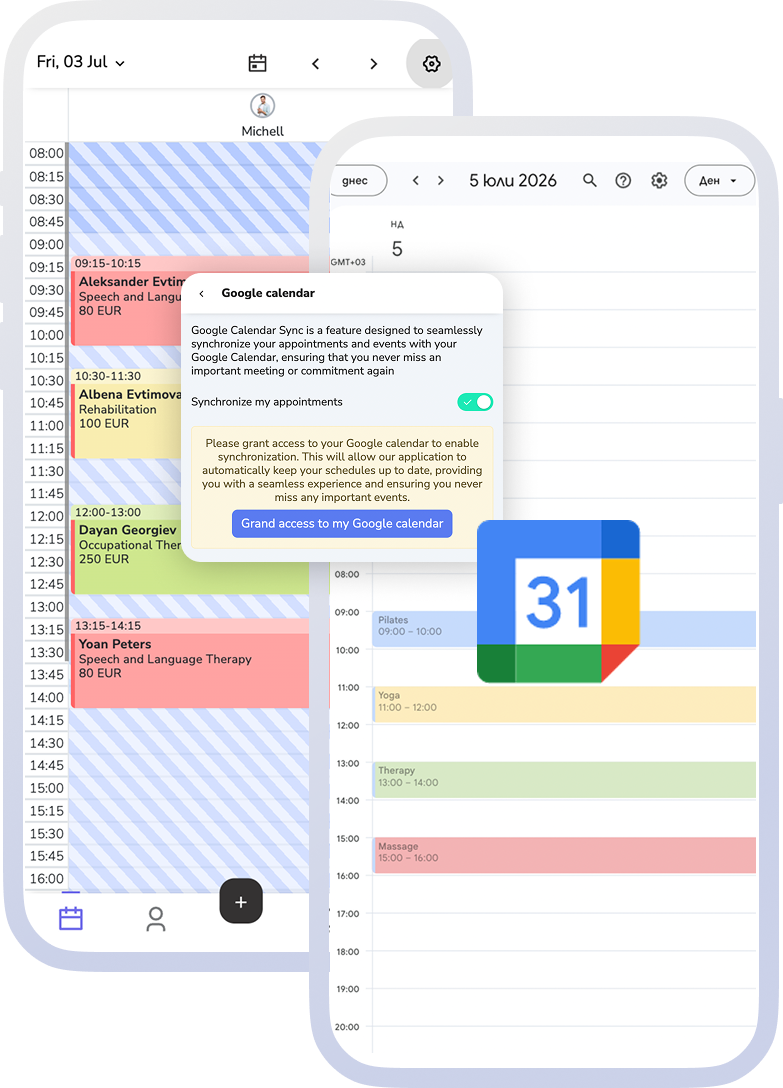
What this part covers
Calendar connectivity without spreading the team's work across tools
The setting lives under "Integrations" → "Google Calendar" and comes down to one toggle and one authorisation.
"Sync my appointments"
The toggle turns sync on and off, and the setting is saved immediately.
Google Calendar access
You grant access explicitly the first time. After that the screen shows the last authorisation time and a button to refresh access.
Personal reservations, not a second operating schedule
Sync gives a familiar view of the day, while changes and bookings stay in the system.
Conditions
The integration works with an active subscription. If Google authorisation fails, access is granted again from the same screen.
What the business gains
Easier team orientation and less schedule confusion
The connected calendar adds convenience for people who already check their day outside the platform, without blurring where the current appointment information lives.
A more convenient day for specialists
Each specialist sees their booked appointments straight in their own Google Calendar.
One schedule stays in charge
Changes, client notes, and the real work remain in the system instead of being split across calendars.
Fewer hidden connectivity issues
The calendar connection status is visible, so the team knows when access needs attention.
FAQ
What teams ask about calendar sync
Does this replace the main schedule in the system?
No. The connected calendar is for visibility. Appointment management, changes, clients, and payments stay inside the system.
What appears in the external calendar?
The model is focused on a specialist's personal reservations, not on turning Google Calendar into the main schedule for the whole business.
Should the team work from Google Calendar?
No. Google Calendar is a convenient view for a quick check. Changes and bookings stay in the system.
What happens if calendar access needs to be refreshed?
Access can be refreshed from the integration area so the connection remains under control.
When does calendar sync make sense?
When specialists often check the day through a personal calendar or phone, while the business still wants one clear schedule of record.
Next step
See external connectivity or book a demo
If you want to see how calendar sync fits into the team's real workday, book a demo. If you need broader connectivity with external systems, open the external connectivity page.