
Online booking through your website, widget, public profile, or booking link, so clients can see open times and services without messaging for every appointment.
Nail studio software for scheduling, clients, and repeat visits
In a nail and pedicure studio, every appointment carries details: service, add-ons, preferences, specialist, payment, and often the next visit. Reservation.Studio Business keeps those details next to the schedule without separate notebooks, chat threads, and manual follow-up.
Good fit for Nail studios, Pedicure studios, and Teams with repeat visits, add-ons, and busy schedules

What the software should cover
Software for a better-run day in a nail and pedicure studio
Services do not all take the same time, add-ons are common, and the next visit is often arranged while the client is checking out. When scheduling, preferences, and payment live in different places, the day gets reshuffled more than it should.
Different service durations for manicures, pedicures, gel polish, maintenance visits, nail art, and add-ons.
Client profiles with history, notes, preferred colors, and designs before the next visit.
Reminders and an easier path to the next booking while the client is still in the studio.
Payments, sales, and reporting that help owners see workload and revenue by specialist.
How it works day to day
How the day comes together in a nail and pedicure studio
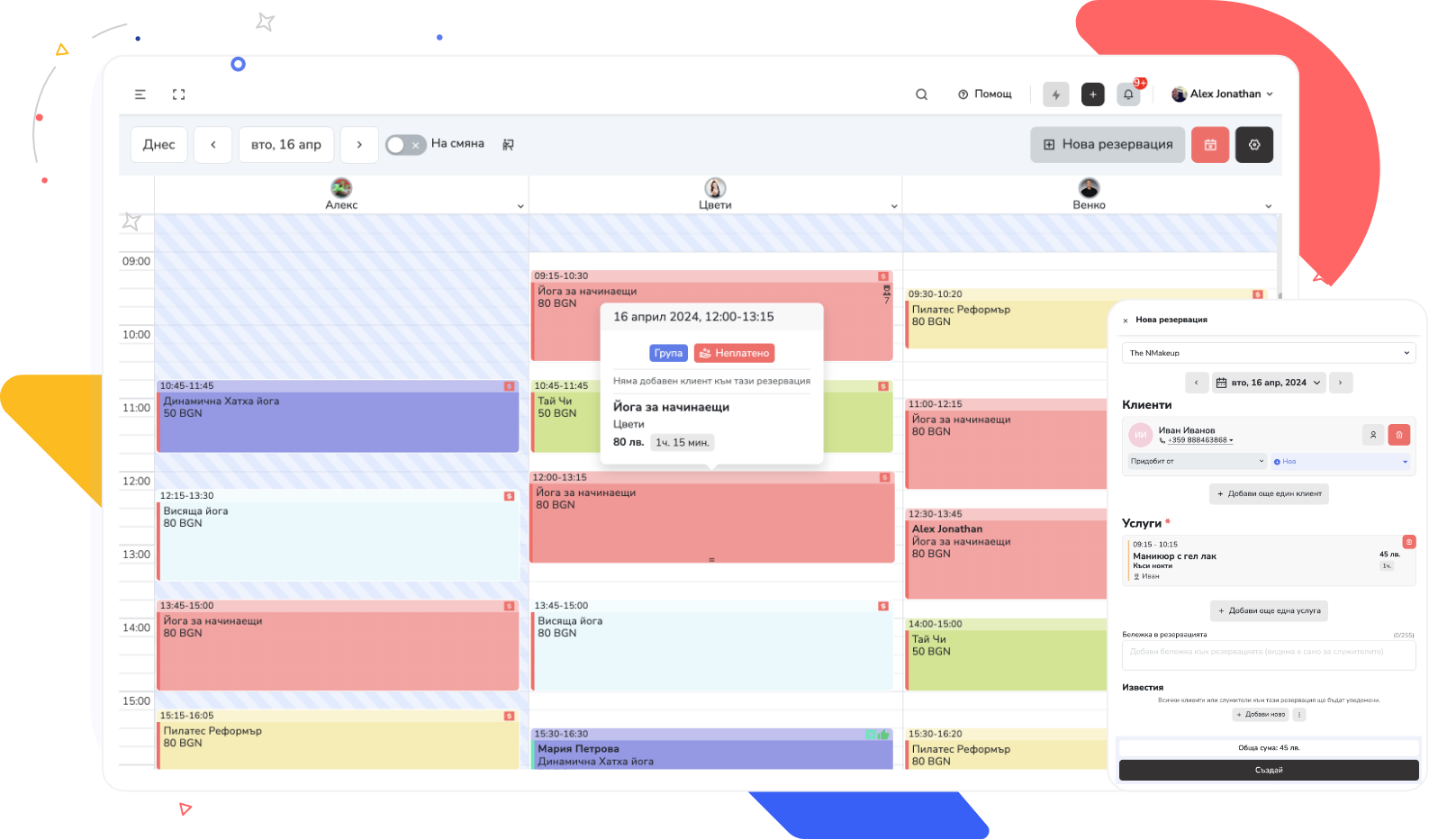
Reservation.Studio Business connects online booking with the internal schedule, the client profile, the specialist’s work, and the checkout process.
Set up services, prices, durations, specialists, and availability around the real way the studio works.
Clients can book online through the website, widget, public profile, or booking link, while the team sees bookings in the same schedule.
Before the visit, the team can open the client profile with history, notes, preferred colors, design preferences, or other useful details.
After the service, the team can guide the client toward the next visit and rely on reminders instead of memory alone.
Payments, sales, and reporting stay in the same platform so workload and revenue are easier to understand.
What the studio gains
Cleaner scheduling, better client history, and stronger repeat visits
Daily work becomes clearer: clients book more easily, specialists see history and preferences, and owners get a better view of how the day is actually performing.
Clearer scheduling for short and combined services
Manicures, pedicures, maintenance visits, and add-ons can be set up so the day does not fall apart every time something changes.
Better continuity for each client
History, notes, and preferences stay tied to the client and help before the next appointment.
An easier path to the next booking
The team can secure the next visit more easily while the service and the client are still in front of them.
Clearer visibility into workload and revenue
Owners can see more clearly which services, hours, and specialists are carrying the day.
Nail studio FAQ
What owners usually want clarified before a demo
Is this only appointment calendar software?
No. The calendar is only one part of it. This page is about software that connects online booking, services, client profiles, payments, and repeat visits.
Is it suitable for a small studio?
Yes. It can help a small team when bookings, client notes, payments, and repeat visits are still managed manually or across several channels.
Can services have different durations and add-ons?
Yes. Services can be set with different names, prices, and durations so a manicure, pedicure, maintenance visit, or add-on is not treated like the same appointment.
Can we keep client preferences and notes?
Yes. The client profile holds history, notes, and preferences — everything that matters before the next visit.
How does it help with repeat visits?
It helps through visit history, reminders, and an easier path to the next appointment, so repeat visits do not depend only on memory.
Can it work with deposits and online payments?
Yes. If the business uses deposits, online prepayments, or different payment methods, they are handled in the same system alongside every other payment.
Who it is for
Most useful for studios with repeat clients, different services, and a busy schedule
A demo is most useful when the studio wants to move from chats, notebooks, and scattered notes to a cleaner schedule, clearer client profiles, payments, and repeat visits.
Nail and pedicure studios offering gel polish, maintenance visits, nail art, and combined services
Teams receiving bookings through social channels, phone, website, and direct messages
Businesses where client history and preferences matter for the quality of the next visit
Owners who want a clearer view of workload, revenue, and repeat visits by specialist
Ask for a demo
See how Reservation.Studio Business fits your way of working
In the demo, we can walk through scheduling, online booking, services, client profiles, payments, and repeat visits for a nail and pedicure studio.
Free, with no obligation — during business hours we call back almost immediately. Paid plan from €13.50 a month; with up to 3 employees you start without a subscription.