
Equipment studio software: schedule by device, clients, and packages
In an equipment studio a slot depends on whether the device is free, not only on whether a specialist is. Reservation.Studio Business books every session against the device it needs and keeps packages, forms, and client history in the same system.
A good fit for EMS studios, Vibration platform studios, Body shaping studios, and Studios for strength sessions on devices
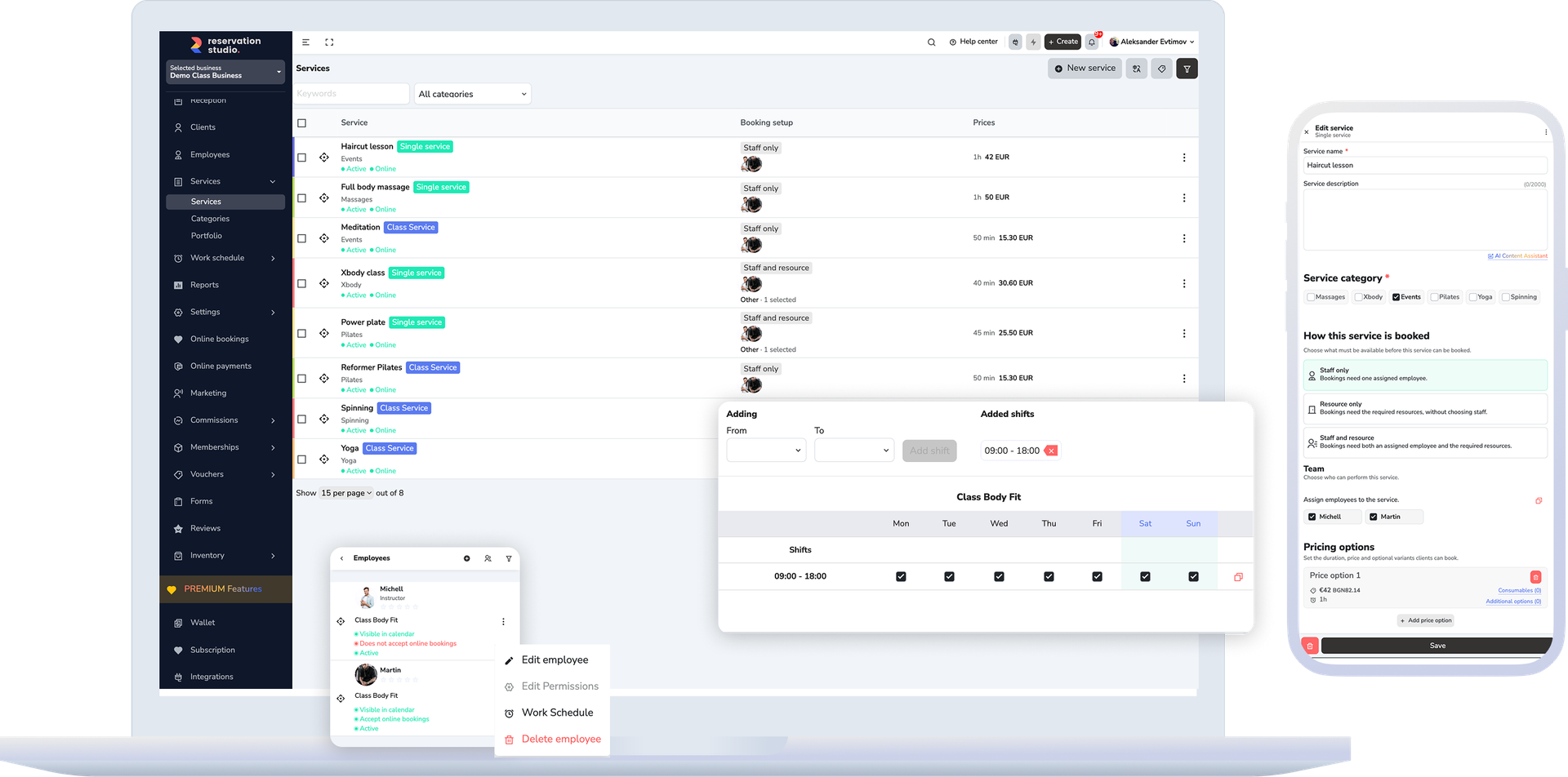
People or devices
A staff-based schedule does not see the devices
Two specialists and three devices do not make three free slots.
| Schedule by staff | Schedule by device |
|---|---|
| A slot is free when a person is free | A slot is free when a device is free |
| One device gets booked twice by different services | The device is checked on every booking, from every service |
| A session without a specialist still takes someone's schedule | The session is booked by device only, without staff |
| Remaining package sessions are counted by hand | The package shows how many sessions are left |
Setup
Four steps to booking by device
-
Add the devices
As resources by type — EMS, vibration platform, vacuum device — with the location and capacity of each.
-
Link the services
For every service choose “Resource only” or “Staff and resource”, and how many devices it needs.
-
Open online booking
Clients see only the times with a free device and can pick the specific device.
-
Sell packages
Session packages have a validity period and a number of visits that are used at every visit.
- a session without choosing staff
- Device only
- when the session needs a specialist
- Device + person
- the client picks the device or the system finds a free one
- Pick online
Before the first session
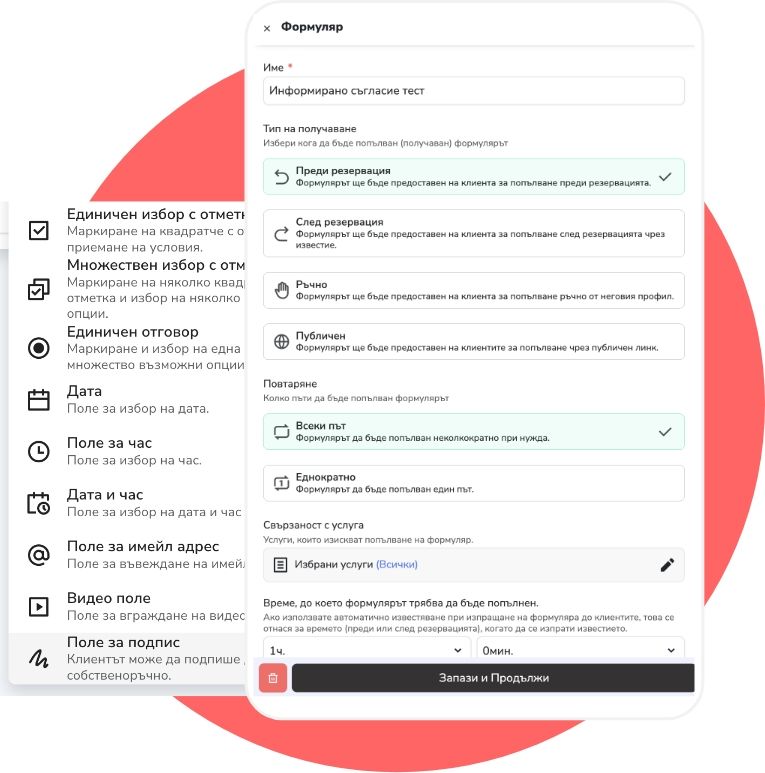
Clients arrive with the form filled in
Forms, consents, and surveys go out before or after the visit, and the answers stay with the client and the booking.
- A questionnaire or consent before the first session.
- The answers show on the client's profile.
- Reminders by email and SMS reach the client before every session.
Around the session
Packages, payments, and reports are in the same system
Equipment studio questions
What owners usually want clarified before a demo
Can a session be booked by device only, without staff?
Yes. For every service you choose how it is performed: by staff only, by resource only, or by staff and resource. With “Resource only”, booking checks just whether a device is free.
Can clients pick a specific device online?
Yes, if you turn it on in the service settings. If not, the system finds a suitable free device automatically.
Can one service use several devices?
Yes. In the service you set which device type it needs and how many, and the same device can serve different services without being booked twice.
How do session packages work?
You create a plan with a validity period and a number of visits — overall or per service. You sell it to the client, and every booking and check-in shows how many sessions they have left.
Can clients fill in a form before the first session?
Yes. Forms, consents, and surveys go out before or after the visit, and the answers stay with the client and the booking.
What usually needs to start first?
Devices, services, and availability rules, then online booking and packages. Forms, reminders, and reports come once the base is running.
Devices, packages, and forms in detail
Ask for a demo
Show us how your devices are booked today
In one conversation we walk through devices, services, packages, forms, and online booking — on a sample equipment studio schedule.
Free, with no obligation — during business hours we call back almost immediately. Paid plan from €13.50 a month; with up to 3 employees you start without a subscription.