
Send or issue a form before an appointment, after an appointment, manually from the client profile, or through a public link.
Forms and pre-visit preparation
Forms that prepare the visit before the client arrives
Send forms, consents, and surveys before it is too late, then keep answers, signatures, and deadlines close to the client, booking, and team.
Why this matters
A form only helps when it reaches the client on time and stays visible later
When clients complete information only at the front desk, the team starts without the answers it needs. A better setup collects what is needed earlier, shows what is still waiting, and keeps completed answers where the team actually works.
Connect the form to services, deadlines, recurrence, and employee notifications instead of using one generic rule for every case.
Keep pending and completed answers tied to the client and, when needed, the specific booking.
Keep answers, signatures, links, and PDF files in one place instead of separate folders and spreadsheets.
How preparation should work
Collect the right information first, then start the visit better prepared
The best form is not a separate document. It is part of preparing for the visit: when it is sent, who should complete it, who on the team should see it, and where the answer stays afterward.
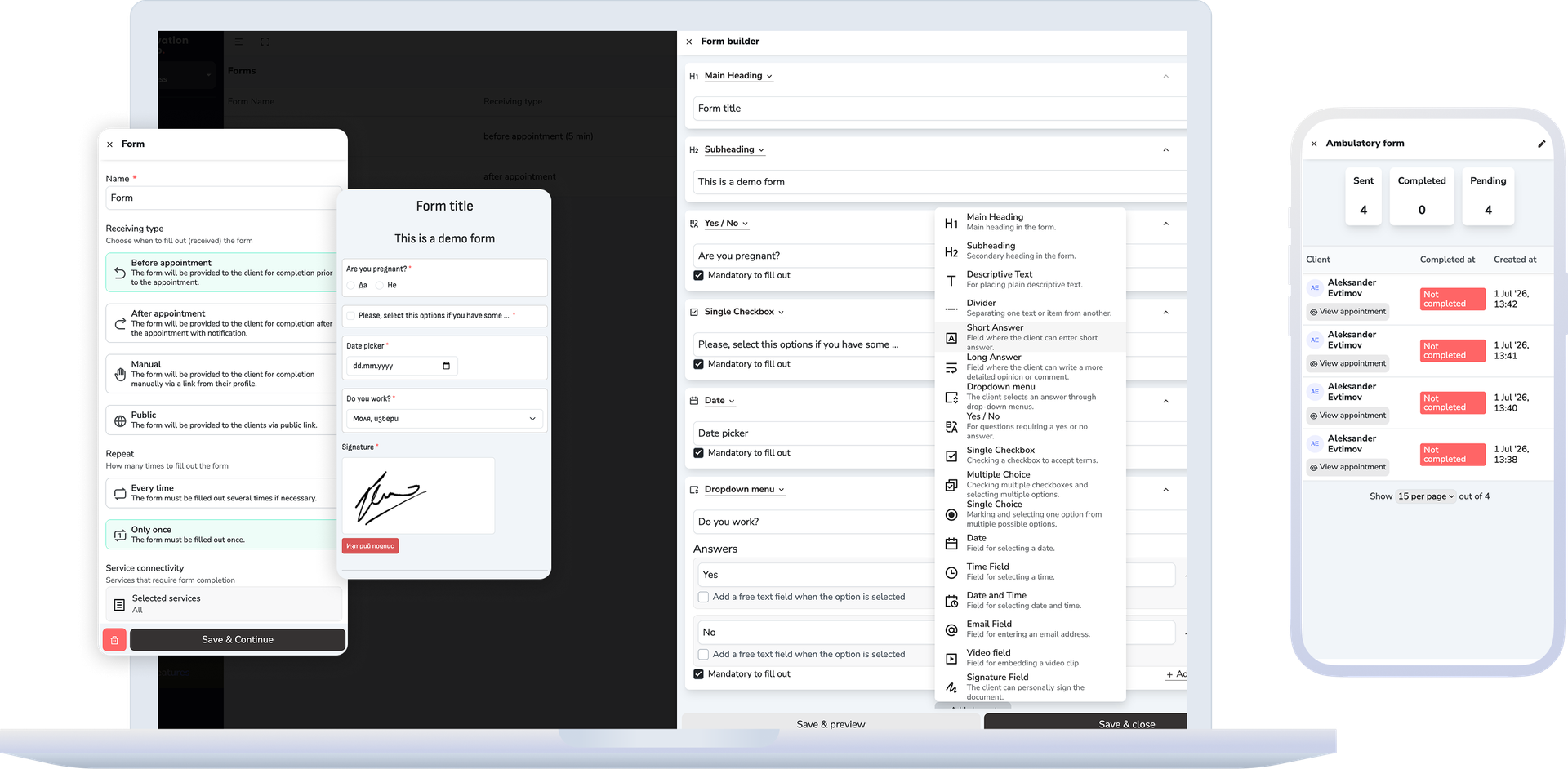
- Create the template in the builder with the questions, descriptive text, choices, dates, times, or signature field you need.
- Choose whether the form is issued before the appointment, after the appointment, manually from the profile, or as a public form with a link.
- Set services, deadlines, recurrence, and employees who should be notified when an answer is completed.
- The client completes the form through a link, while the team tracks status, deadline, answer, client, and linked booking in one system.
- When needed, open the completed answer, review the signature, or download the PDF without switching to a separate document tool.
What this includes
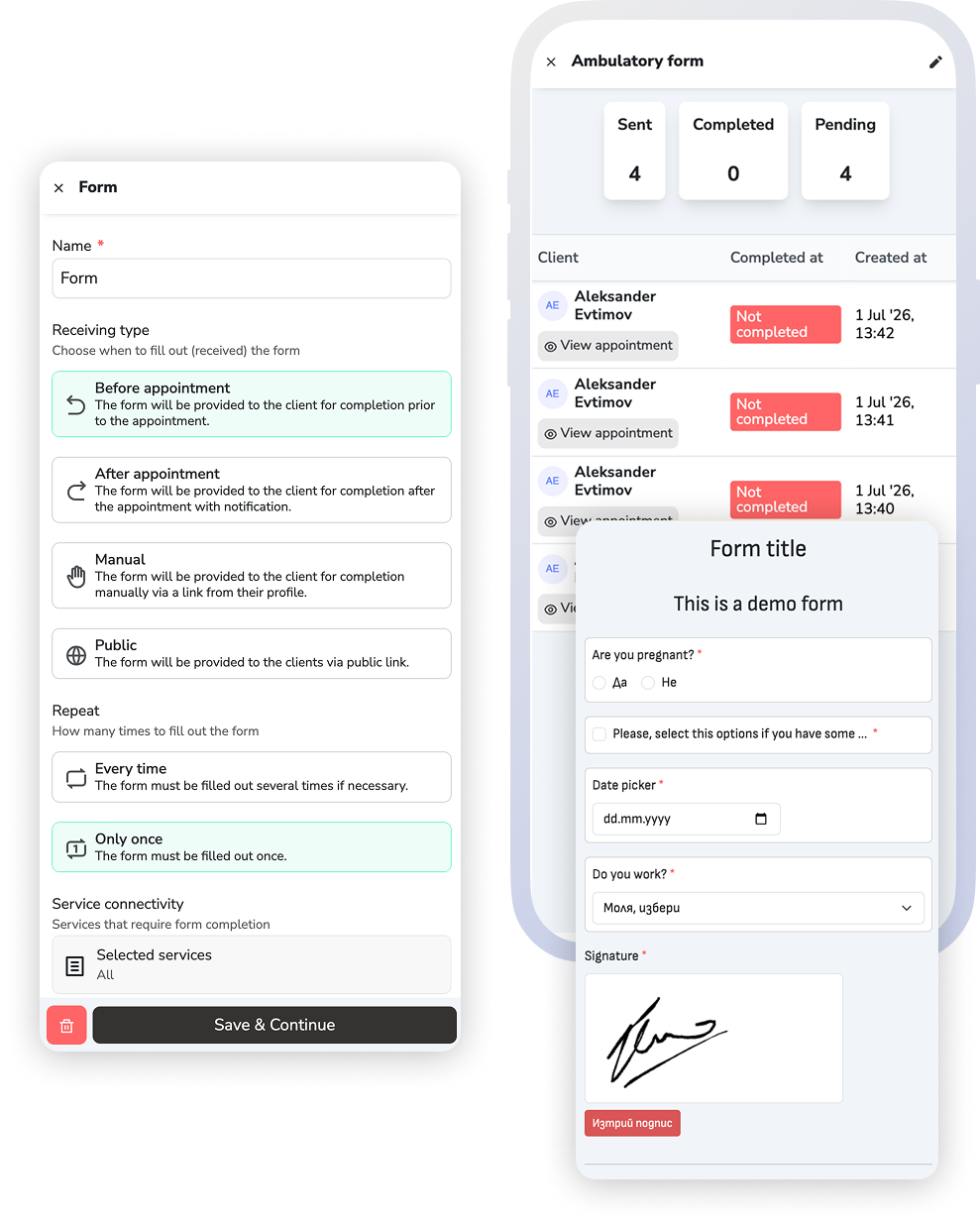
The four delivery types
The type is chosen when the template is created and it decides the rest of the form's life — when it goes out and what it is tied to.
Before the appointment
Intake questions, informed consent and clarifications that need to be settled before the visit.
After the appointment
Feedback, aftercare instructions and information collected once the service is done.
Manual
You issue the form yourself from the client profile. It is not tied automatically to an appointment and does not use before or after timing.
Public
Shared through a public link, and at creation time it is not tied to a specific appointment or client.
Answers, signatures, and linked records
Pending and completed answers stay tied to the client and, when relevant, the booking, with signatures and PDF files available from the same place.
What improves
Fewer last-minute questions and a clearer start to the visit
The gain is not only a digital document. It is a better prepared team, less front desk admin, and a cleaner client history.
Less on-site paperwork
Clients can provide important information before the appointment instead of starting the visit with paper, explanations, and waiting.
Better preparation for the specialist
The specialist can review the client's consent, notes, and answers before the service begins, not after it is already too late.
A cleaner client history
Completed forms, signatures, and PDF files stay connected to the client and can be reviewed at the next visit.
FAQ
What teams usually ask about forms
Is this only about digital consent forms?
No. Forms can be used for informed consent, pre-visit questions, surveys, feedback, or other information that should stay tied to the client.
When can a form be sent automatically?
A form can be issued before or after an appointment based on type, services, recurrence, and deadline rules. Manual and public forms are used when the form should not depend on a specific booking.
Can the answer stay tied to the client and the booking?
Yes. Answers stay tied to the client and, when relevant, the linked booking, so the team can review them in the same system.
Can a form include a signature and PDF?
Yes. A form can include a signature field, and the completed answer can be downloaded as a PDF from the same place.
How is this different from notifications?
Notifications are about delivery and timing of messages. This page is about the information itself, completed answers, and how they stay connected to the client or booking.
Next step
See client records, messaging, or book a demo
If the question is where information stays over time, explore client records. If it is when and how the client receives the link, see messaging. If you want to see how forms fit your working day, book a demo.